Many large organization around the world are using Workplace from Meta as their internal “social media” for intranet and both work related and social communities with coworkers. On 31st of August Workplace will go into read only mode, as part of Meta´s plan to shut down the service. By 1st of June 2026 your Workplace environment will be deleted.
Do you have a plan? Which platform will you use as a replacement? For many it will be natural to move over to Viva Engage, as most organizations are heavily invested in the M365 world form Microsoft. Viva Engage, formerly Yammer has been getting closer to being a social work community the later years like Workplace is.
So what do you do? Start fresh or try to move over all your data? Let’s take a look at what is possible to export and what API endpoints Microsoft has to let us import the data to Viva Engage.
From reading through the API documentation of Graph API (yes, its has the same name as Microsofts Graph API) for Workplace, It seems you can export all the information like posts, replies, likes , files etc….
You would have to create for example a PowerShell script to loop through all groups, messages and comments. Here you can take a look at what information each post and comment contains.
In regards of recreating things in Viva Engage there are some limitations. For example in Graph API (Microsoft) there currently is only endpoints for creating/updating a community, not the possibility for creating posts. To be able to create posts you need to use the old Yammer API, yes much of the backend of Viva Engage is still Yammer. Instead of complicating stuff, it’s then easier to use the Yammer API for creating the communities also. At the bottom of the API documentation for posting messages biggest drawback is mentioned, it’s not possible to backdate messages.
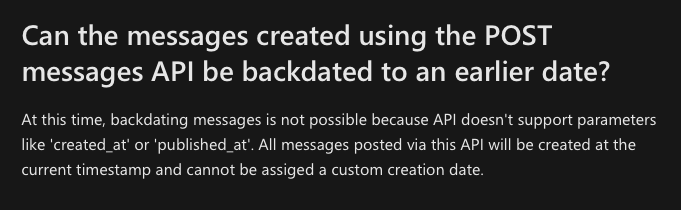
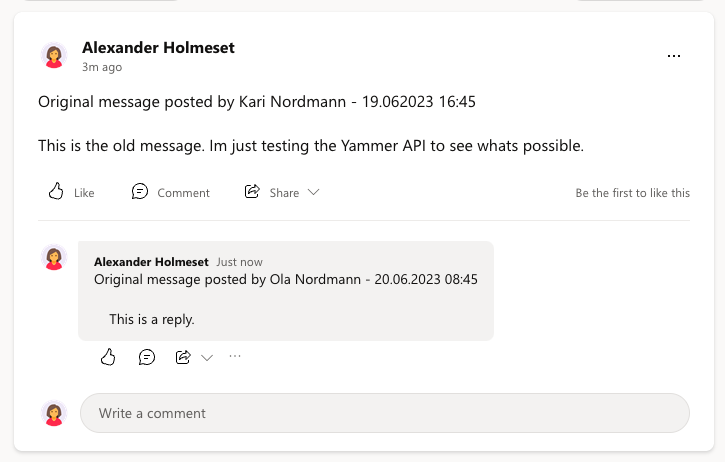
What this means is that all recreated messages/comments will have the day of the migration as the timestamp. The next thing would be also to see if you do the hassle of impersonating users to post the message as the users that original posted it. My thought on this is that it’s the information that is most important here, and user/date is just details. It does not need to look perfect, as long as the text/files/photos is there. The way you can do it is by having a text at the top of the post/comments stating who posted the message and the original date. Here is an example of what it can look like with a recreation of a thread I did with the Yammer API and PowerShell.
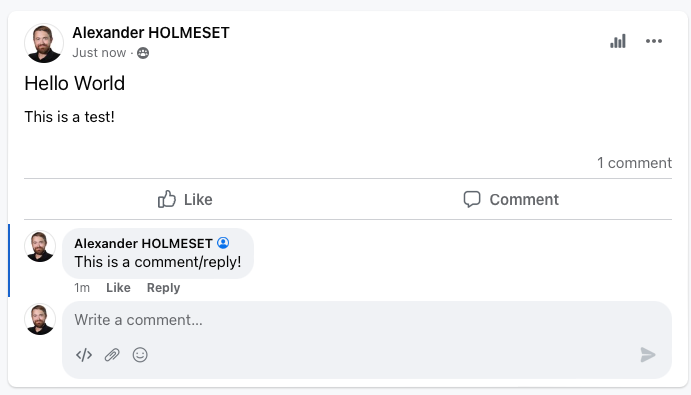
If you take a look at Meta Workplace below, the look/feel of a message and comment is not that different.
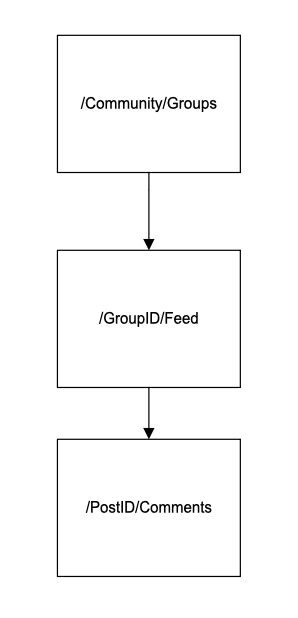
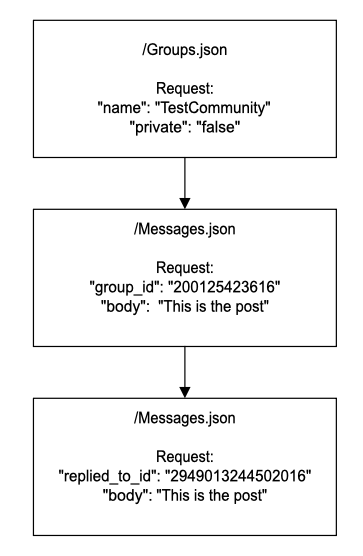
The API “flow” for recreating the community/posts/comments in Viva Engage would look something like this:
The question we now need to ask ourself is, do we need all the history from Meta Workplace or do we use this as a chance to start fresh with a better structure? My thought is that even though it can look a bit messy to transfer over all data, at least it would be searchable and you wouldn’t have to re-ask questions that already have a great answer. It all depends on the quality of the data in Workplace is. This is not really an IT decision to make, its the data owners that need to discuss the need for this.
It seems to be hard to get a test environment for Meta Workplace these days, so I have not been able to create a POC for a migration script, but here is the theory to help you on the way.
If you take a look at this article written by Gisli Gudmondsson he explains how to create posts in Workplace my doing API calls with PowerShell. This could easily be reused to be able to extract the data you need to recreate the content in Viva Engage. Below I have created a some short PowerShell examples on how to post and reply to messages in Viva Engage. You could make it more advanced to recreate attachments and likes, but this is just a meant as a way to help you on the way and get your thought process started. As soon as I get access to a test environment I will dig deeper into this topic.
| $bearerToken = "Enter Token" | |
| $Headers = @{ Authorization=("Bearer " + $bearerToken) } | |
| $CommunityName = "Demo" | |
| $Private = "false" | |
| $CreateCommunity = Invoke-RestMethod –Uri "https://www.yammer.com/api/v1/groups.json?name=$CommunityName&private=$Private" –Method Post -Headers $headers | |
| $body = @" | |
| { | |
| "body": "Original message posted by Kari Nordmann - 19.062023 16:45 | |
| This is the old message. Im just testing the Yammer API to see whats possible.", | |
| "group_id" : $($CreateCommunity.id) | |
| } | |
| "@ | |
| $CreateMessage = Invoke-RestMethod –Uri "https://www.yammer.com/api/v1/messages.json" –Method Post -Headers $headers -Body $body -ContentType "application/json" | |
| $body = @" | |
| { | |
| "body": "Original message posted by Ola Nordmann - 20.06.2023 08:45 | |
| This is a reply.", | |
| "replied_to_id": "$($CreateMessage.messages.id)" | |
| } | |
| "@ | |
| $CreateReply = Invoke-RestMethod –Uri "https://www.yammer.com/api/v1/messages.json" –Method Post -Headers $headers -Body $body -ContentType "application/json" | |
 A blog about automation and technologies in the cloud