
Before the summer OpenAI had its developer day where they presented the GPT-4o model and its capabilities. They showed a demo of an app that helps visually impaired/blind people to “see” by processing photos of what’s in front of them and playing of an audio response of the description of the photos. This inspired me to see if it was possible to recreate by using Microsoft technology. Turnes out it is! I have created a canvas app in Power Apps where you can take a photo and send it to Power Automate. Power Automate does a HTTP request with the photo to Azure OpenAI GPT-4o, and sends the description of the image over to Azure AI Speech through another HTTP request. You then get an audiofile that is being uploaded to SharePoint. When the file is created, the app plays the audiofile for you.
Here are two demos of the app, the first one shows the capabilities to describe a room and the other one shows how it can read an ingredient label even though its not in the native language of the app.
Bellow them you will find a complete step by step guide on how to set this up yourself.
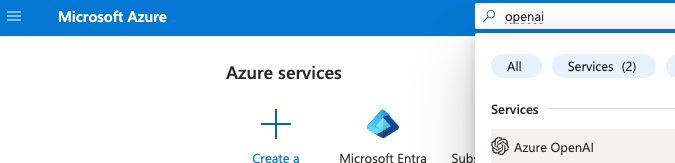
Go to the Azure Portal and search for OpenAI
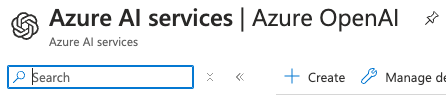
Click Create.
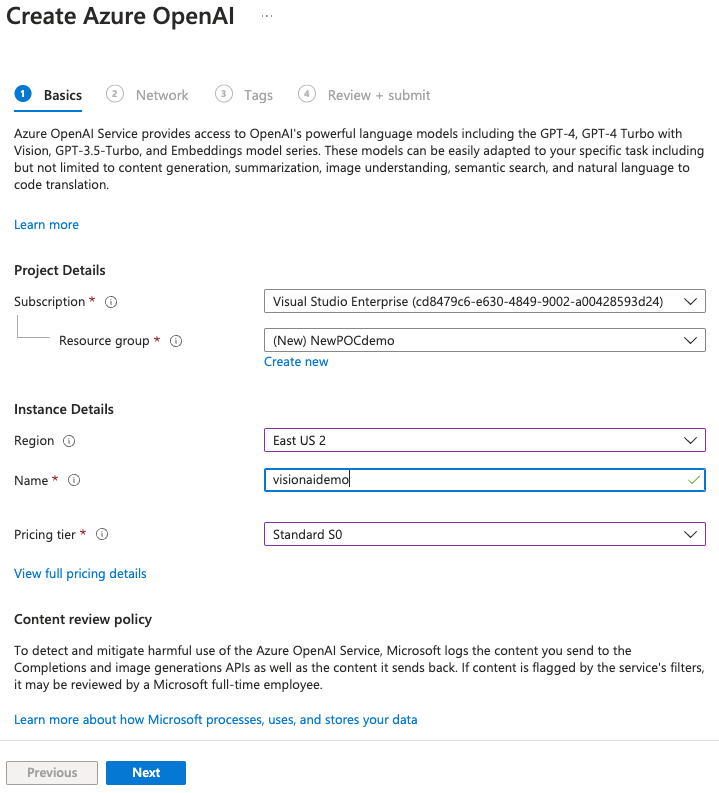
Fill out and click Next, Next, Next.
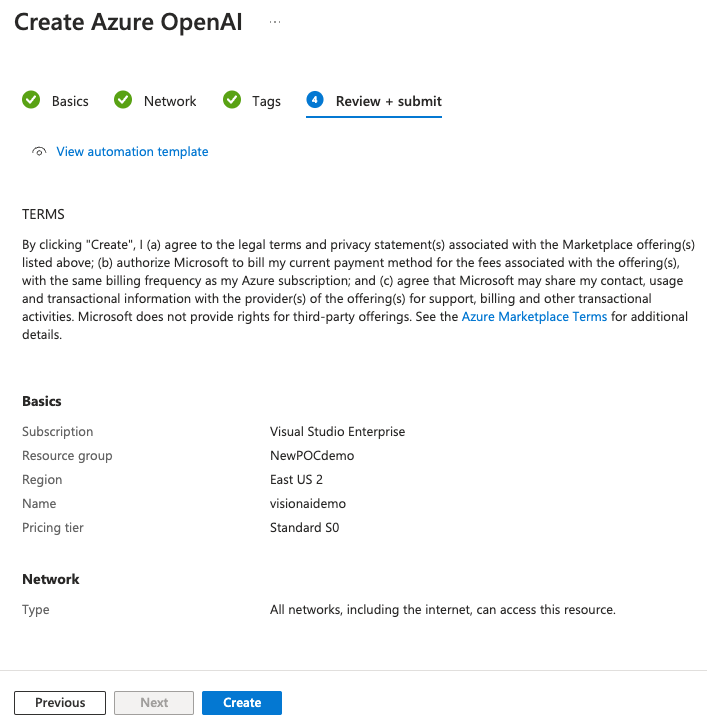
Click Create.
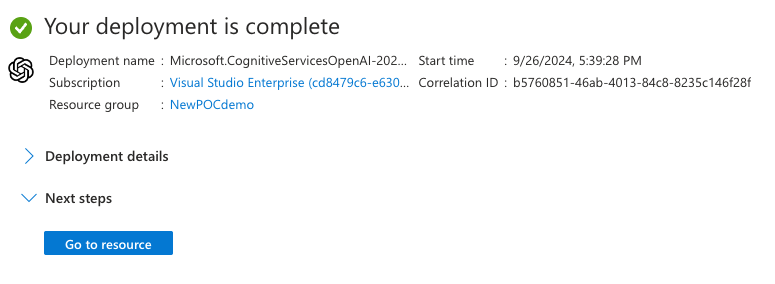
Copy one of the keys and the endpoint url.
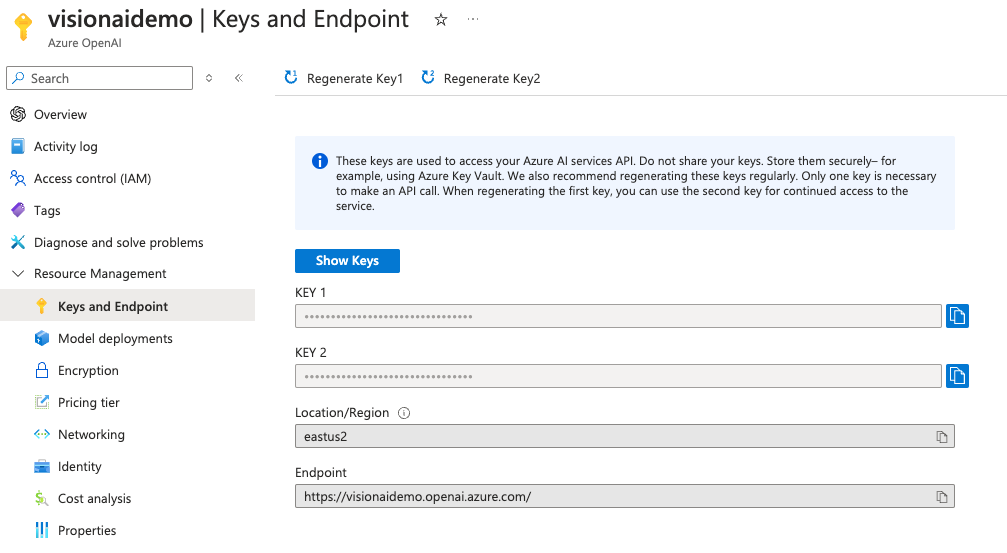
Go to Azure OpenAI Studio.
Open the new studio.
Click the upper right corner and select the correct resource.
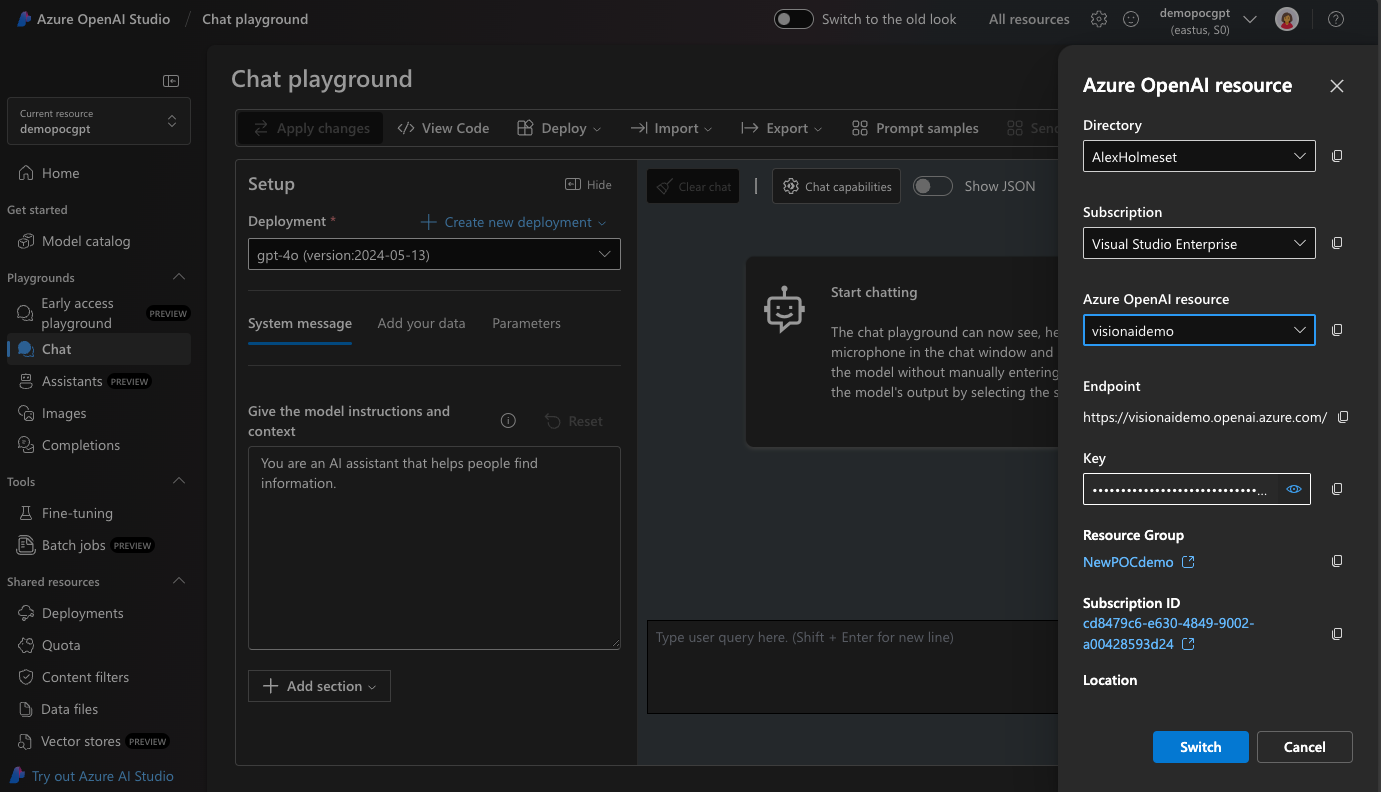
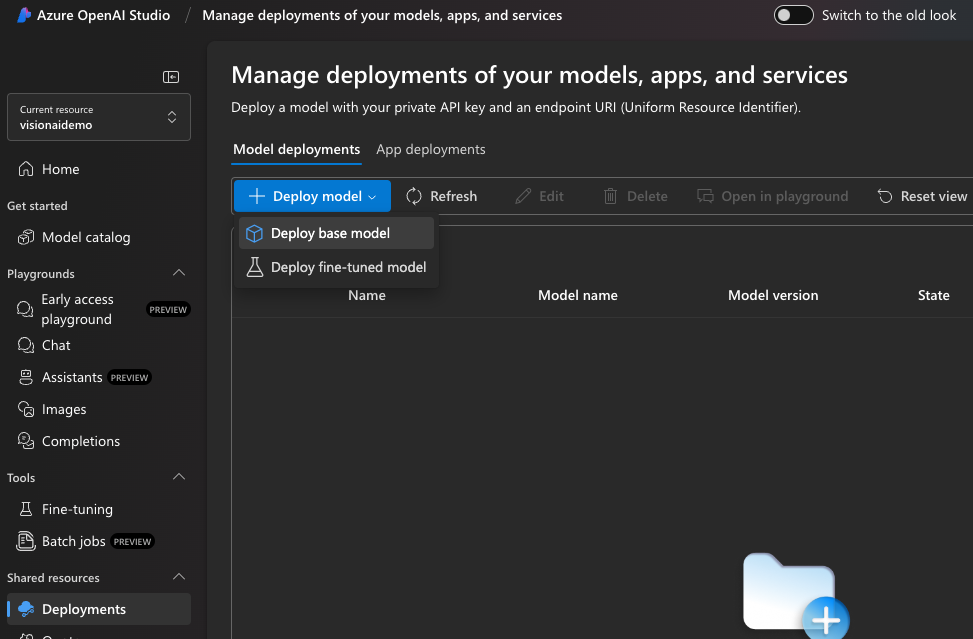
Go to deployments and click Deploy base model.
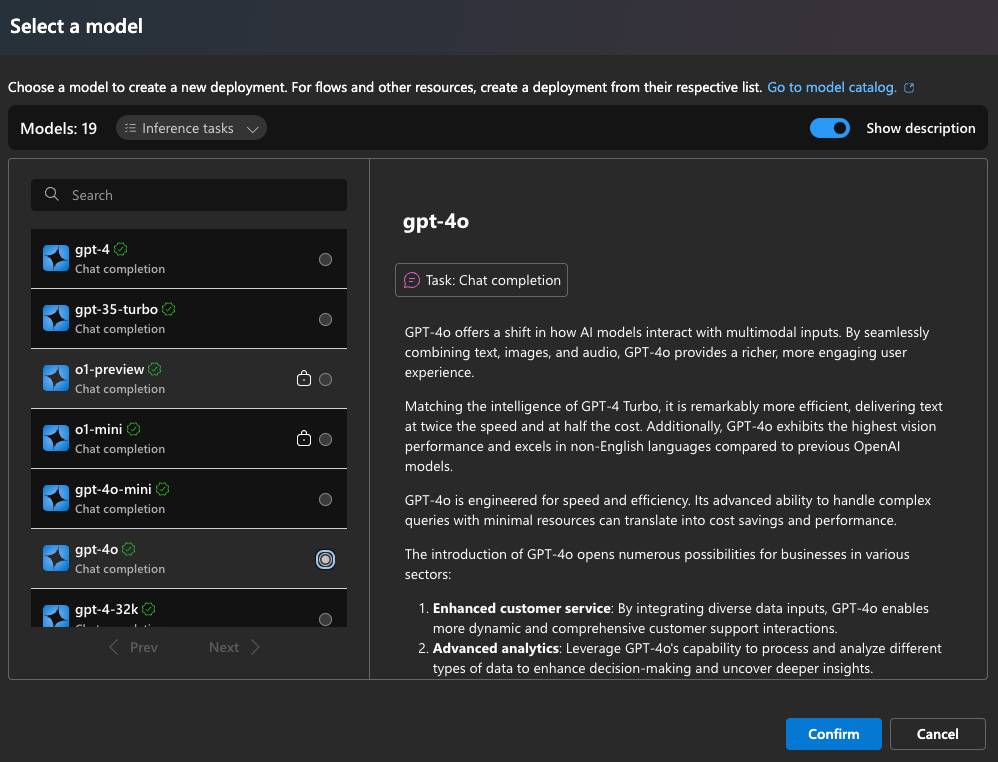
Select get-4o and click Confirm.
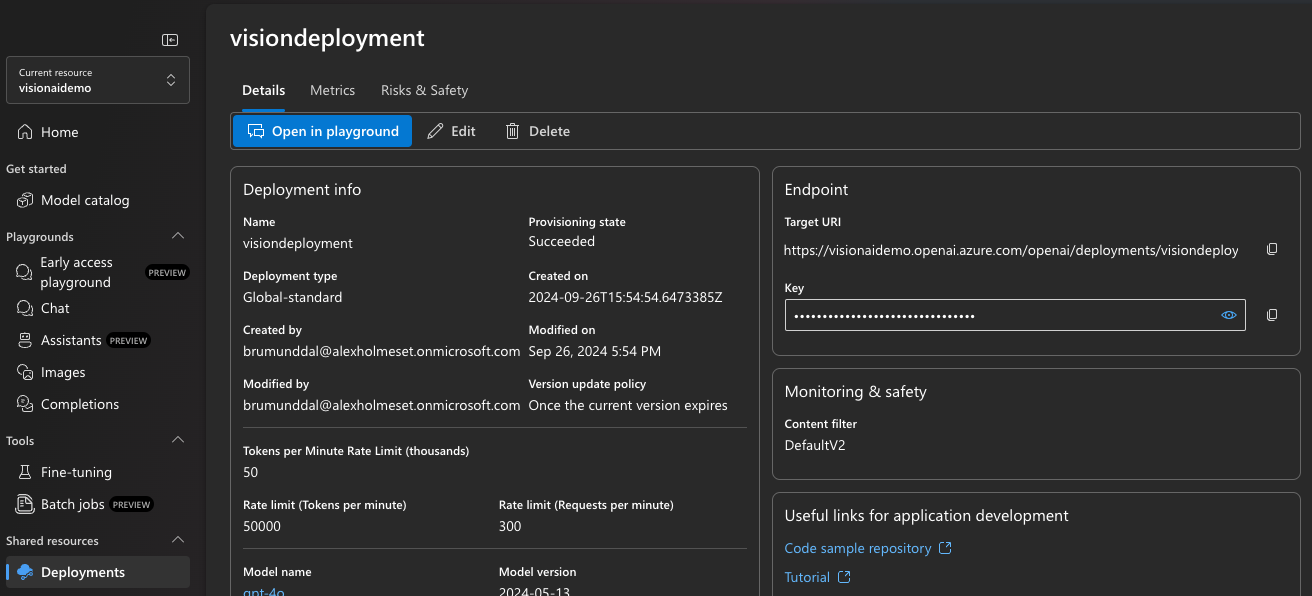
Set a name and select as in the picture. You can adjust the token limit a bit down probably. Click Deploy.
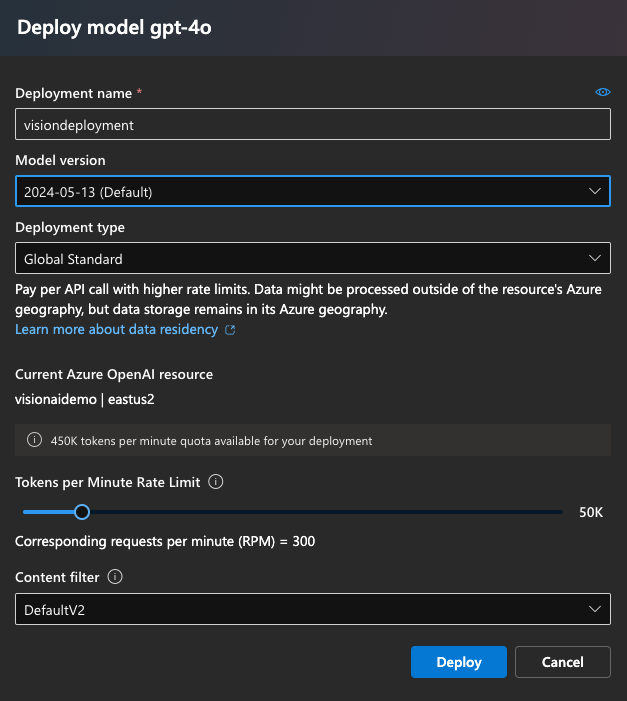
Copy the deployment name.
Go to the Azure Portal again and search for Speech services.
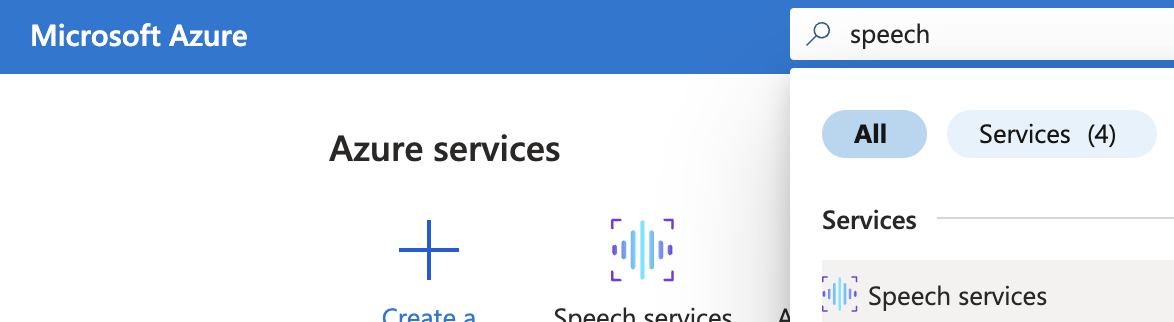
Click Create.
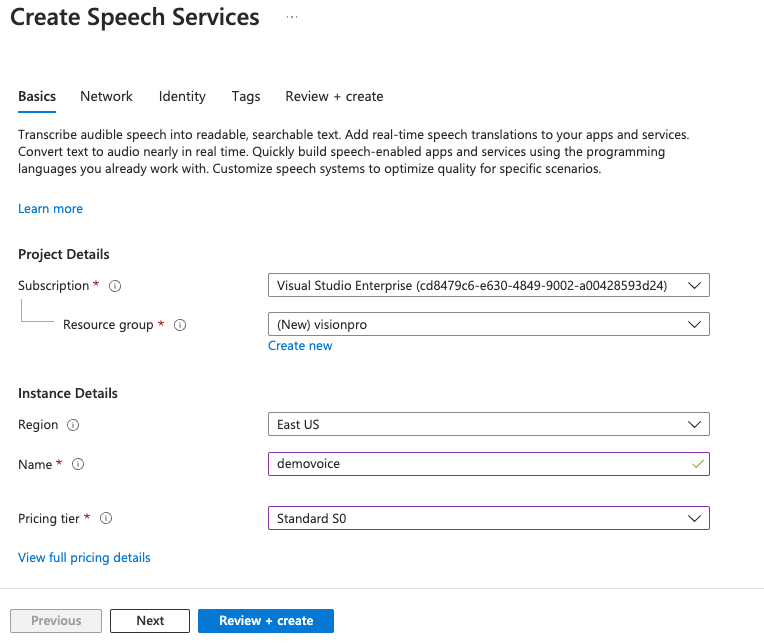
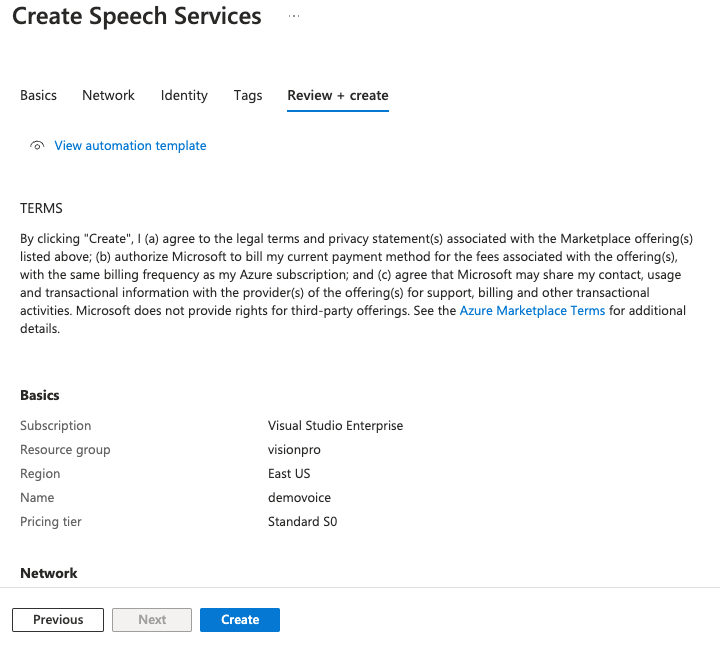
Fill out and click Review + Create.
Click Create.
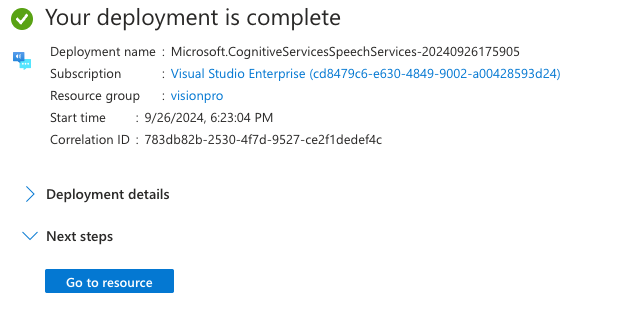
Click Go to resource.
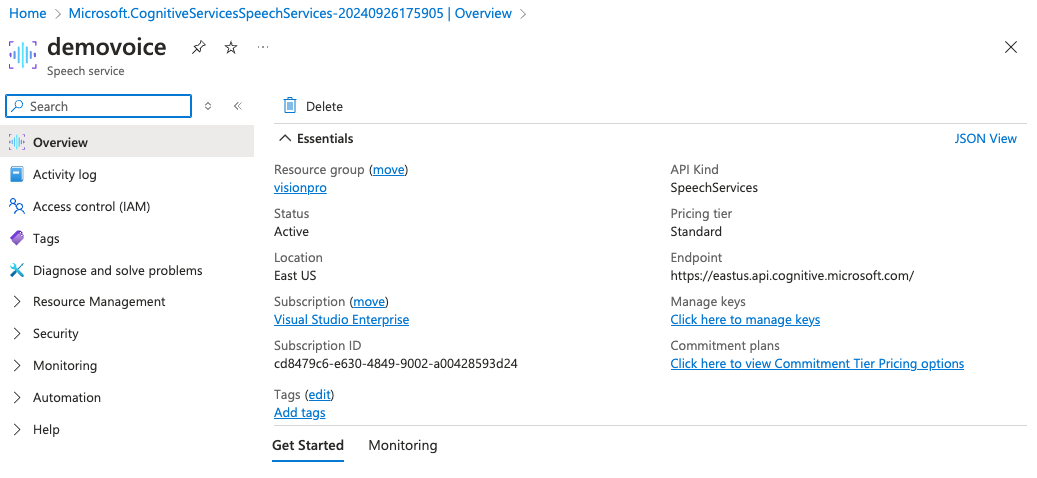
Copy the endpoint url.
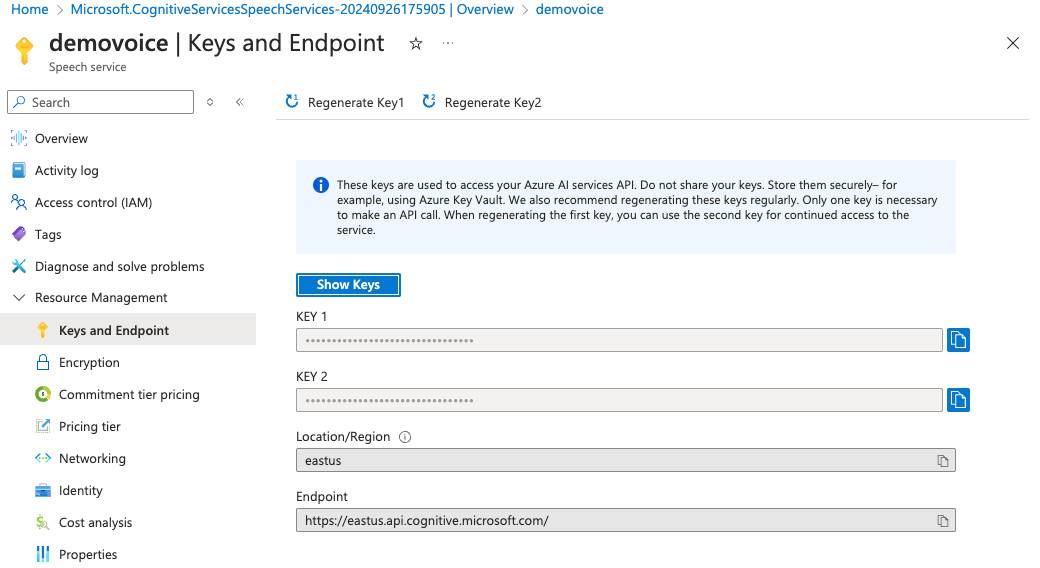
Copy one of the keys.
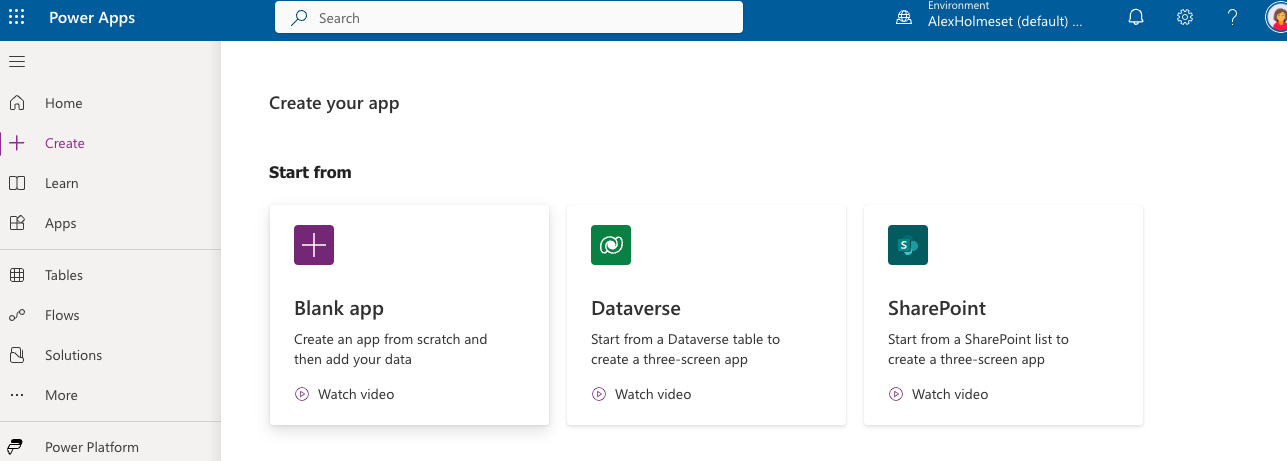
Go to make.powerapps.com and click to create a blank app.
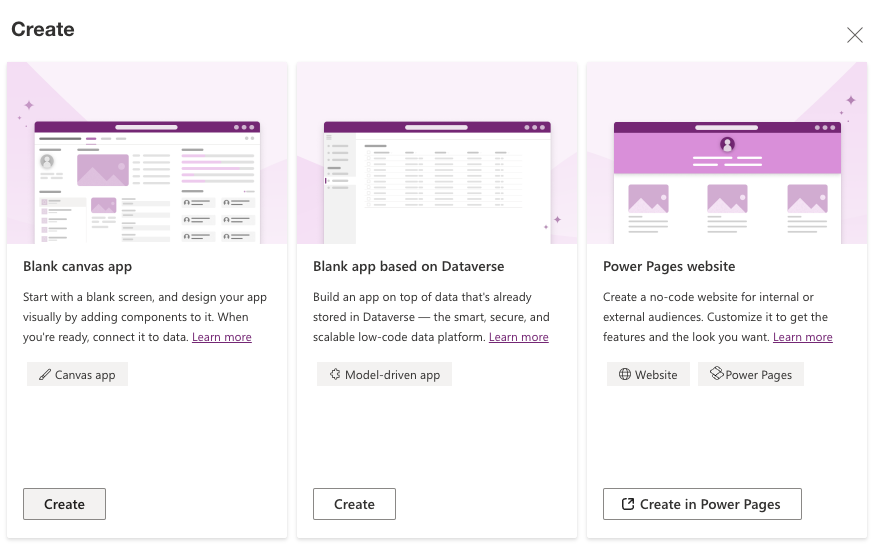
Click create under Blank canvas app.
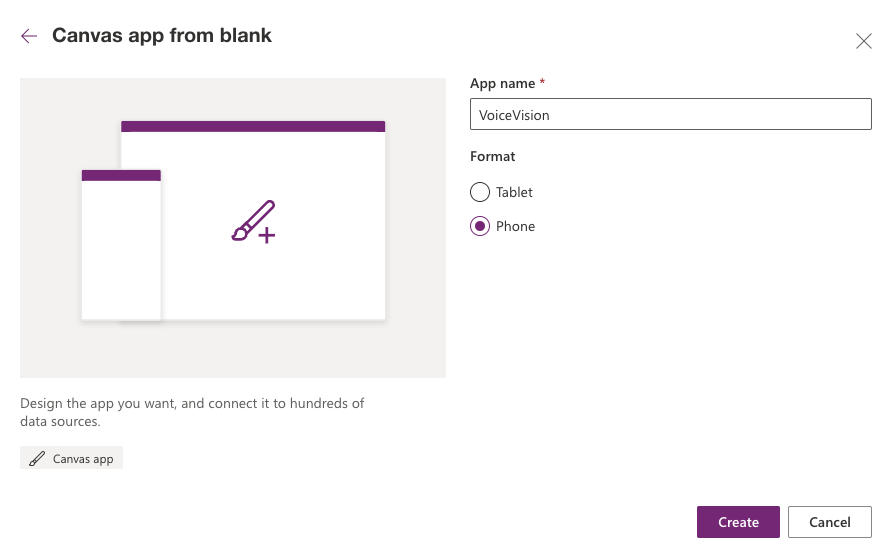
Give it a name and select Phone. Click Create.
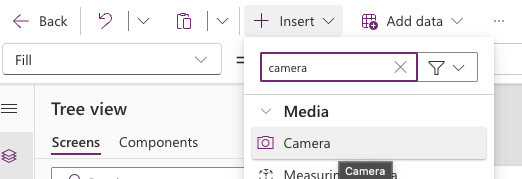
Add a Camera
Add an image.
Add a timer.
Add an audio component.
Make sure the components have the same name as below.
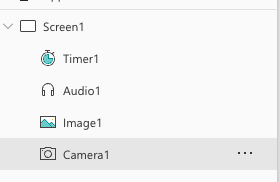
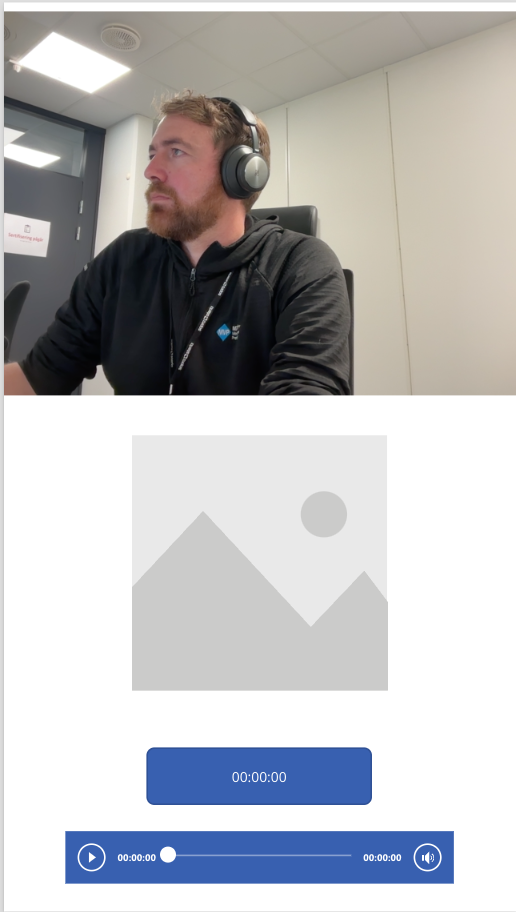
It should look like this.
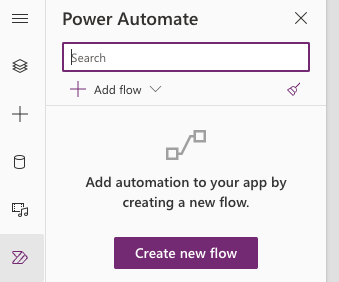
Click Create new flow.
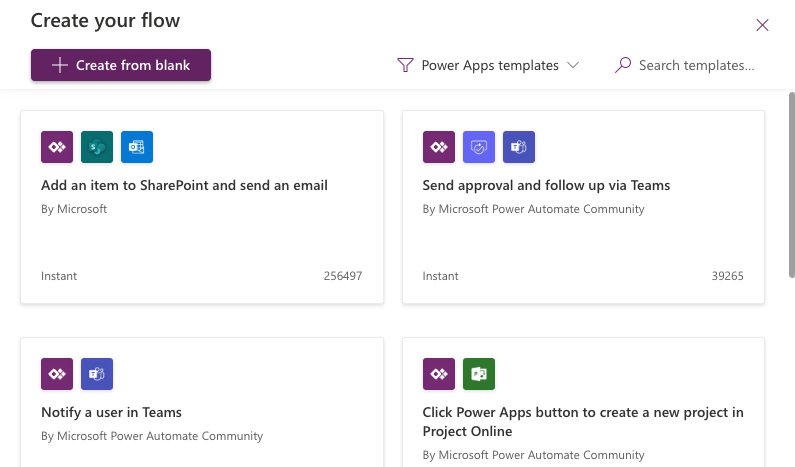
Click Create from blank.
Add an input.
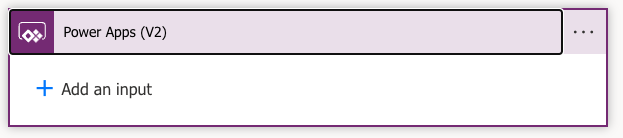
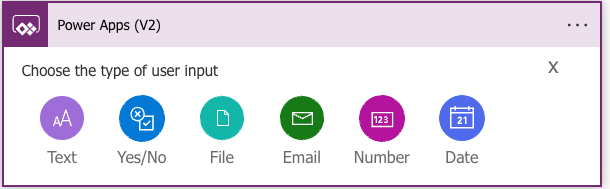
Click Text.
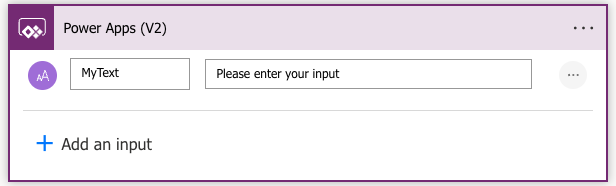
Call it MyText
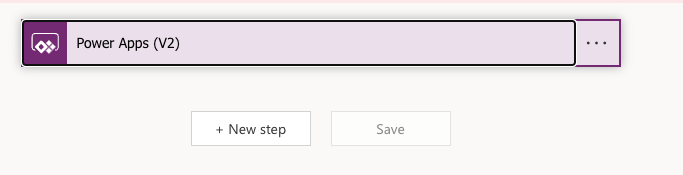
Click New step.
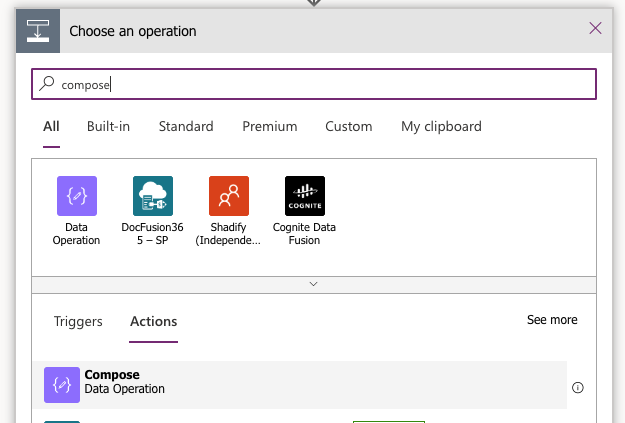
Select Compose.
Add dynamic content and click on MyText
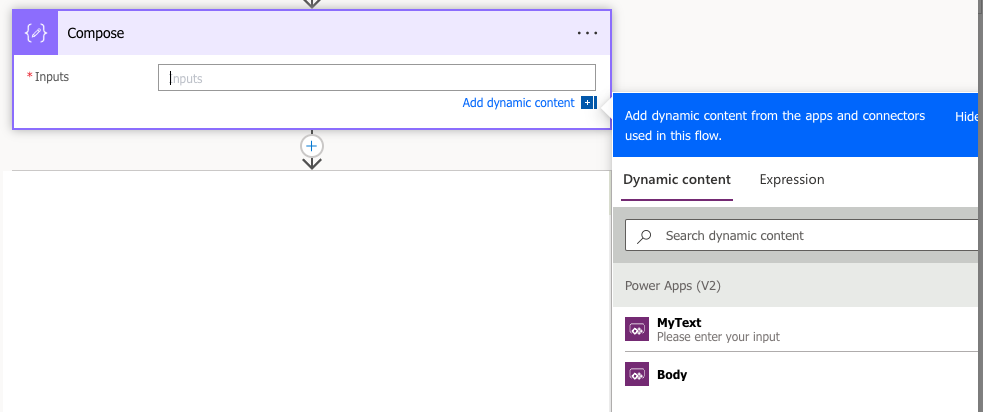
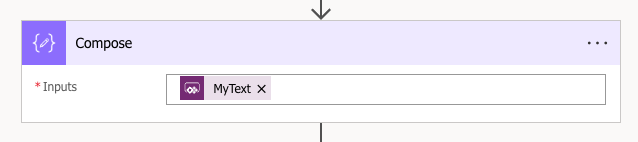
Rename the flow to VoiceVisionFlow
Save the flow and go back to the app. Copy the commands below and paste under OnSelect in the Camera1 component.
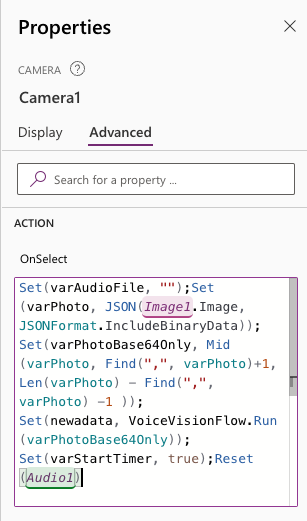
| Set(varAudioFile, "");Set(varPhoto, JSON(Image1.Image, JSONFormat.IncludeBinaryData)); | |
| Set(varPhotoBase64Only, Mid(varPhoto, Find(",", varPhoto)+1, Len(varPhoto) - Find(",", varPhoto) -1 )); | |
| Set(newadata, VoiceVisionFlow.Run(varPhotoBase64Only)); | |
| Set(varStartTimer, true);Reset(Audio1) |
Type Camera1.Photo in the image property of the Image1 component.
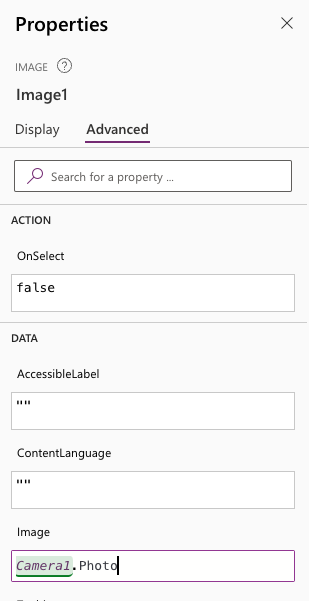
Create a SharePoint site and copy the URL to the document library, and replace it in the commands bellow. Copy the commands and paste in the OnTimerEnd property of the Timer1 component. Set the timer duration to 5000 and type varStartTimer in the Start property.
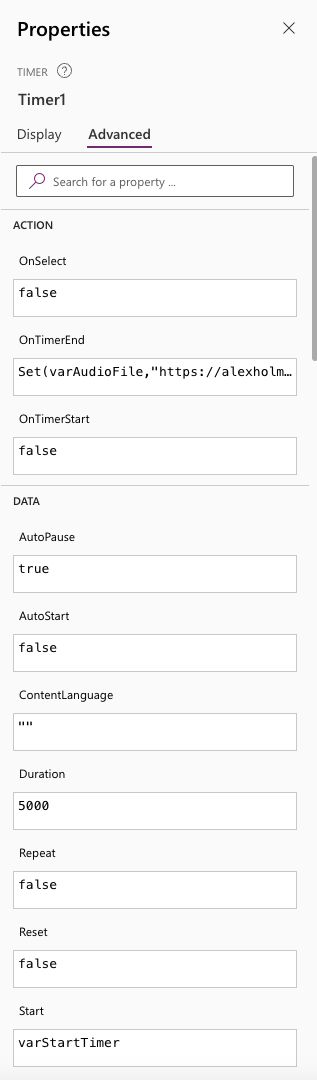

| Set(varAudioFile,"https://alexholmeset.sharepoint.com/sites/test321/Shared%20Documents/newfile2.wav"); | |
| Set(varStartTimer, false);Set(playAudio, true) |
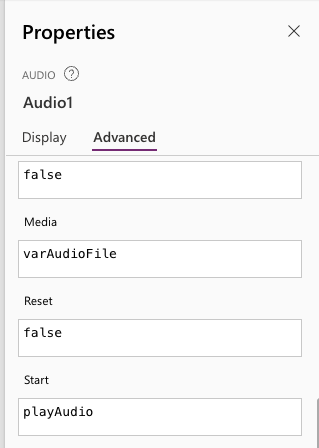
Set Media to varAudioFile and Start to PlayAudio for the Audio1 component.
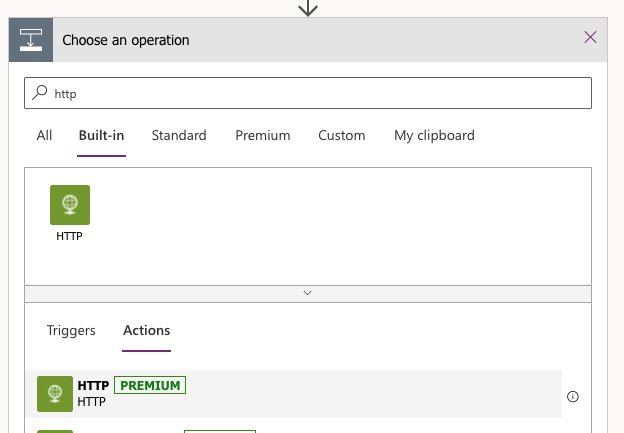
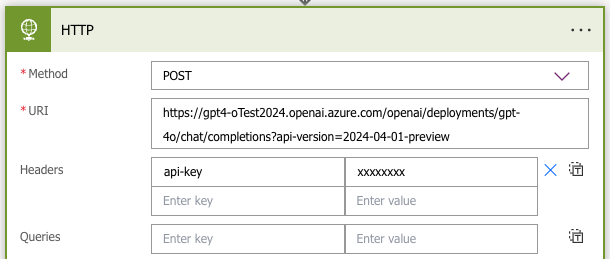
Create an HTTP action.
Change the resource and deployment part of the URL, and enter your key/secret. Copy the JSON below and remember to add the Compose to the request.
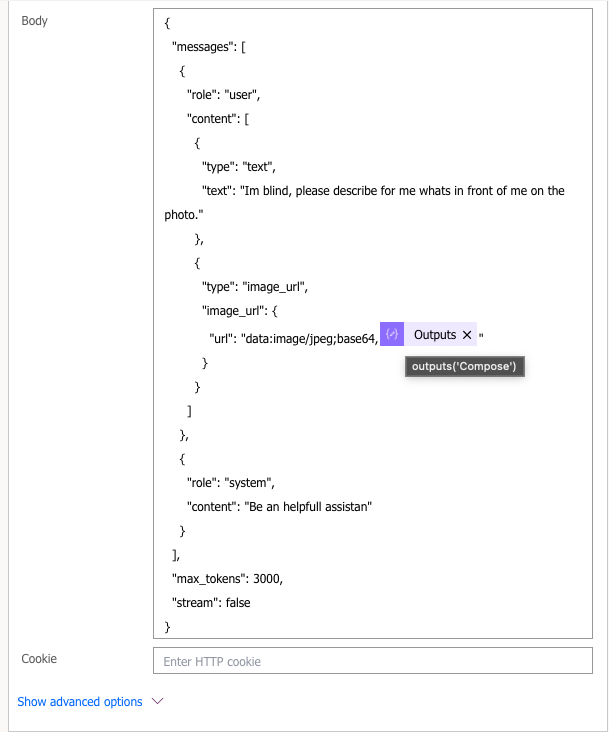
| { | |
| "messages": [ | |
| { | |
| "role": "user", | |
| "content": [ | |
| { | |
| "type": "text", | |
| "text": "Im blind, please describe for me whats in front of me on the photo." | |
| }, | |
| { | |
| "type": "image_url", | |
| "image_url": { | |
| "url": "data:image/jpeg;base64," | |
| } | |
| } | |
| ] | |
| }, | |
| { | |
| "role": "system", | |
| "content": "Be an helpfull assistan" | |
| } | |
| ], | |
| "max_tokens": 3000, | |
| "stream": false | |
| } |
Create a Parse JSON action.
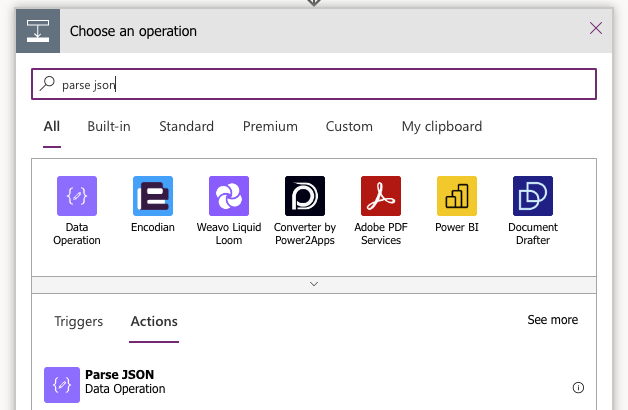
Add the Body of the HTTP action as the content, and copy the Schema below.
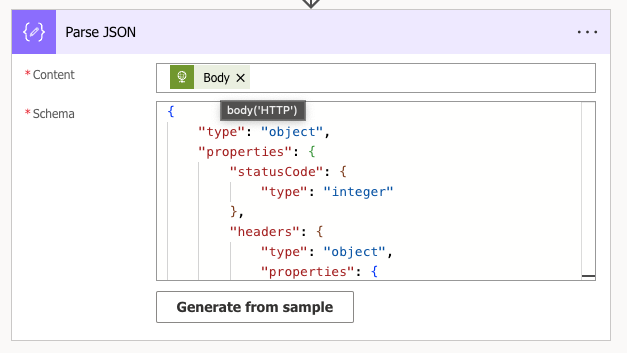
| { | |
| "type": "object", | |
| "properties": { | |
| "statusCode": { | |
| "type": "integer" | |
| }, | |
| "headers": { | |
| "type": "object", | |
| "properties": { | |
| "request-id": { | |
| "type": "string" | |
| }, | |
| "x-ms-region": { | |
| "type": "string" | |
| }, | |
| "apim-request-id": { | |
| "type": "string" | |
| }, | |
| "x-ratelimit-remaining-requests": { | |
| "type": "string" | |
| }, | |
| "x-accel-buffering": { | |
| "type": "string" | |
| }, | |
| "x-ms-rai-invoked": { | |
| "type": "string" | |
| }, | |
| "X-Request-ID": { | |
| "type": "string" | |
| }, | |
| "Strict-Transport-Security": { | |
| "type": "string" | |
| }, | |
| "azureml-model-session": { | |
| "type": "string" | |
| }, | |
| "X-Content-Type-Options": { | |
| "type": "string" | |
| }, | |
| "x-envoy-upstream-service-time": { | |
| "type": "string" | |
| }, | |
| "x-ms-client-request-id": { | |
| "type": "string" | |
| }, | |
| "api-supported-versions": { | |
| "type": "string" | |
| }, | |
| "x-ratelimit-remaining-tokens": { | |
| "type": "string" | |
| }, | |
| "Date": { | |
| "type": "string" | |
| }, | |
| "Content-Length": { | |
| "type": "string" | |
| }, | |
| "Content-Type": { | |
| "type": "string" | |
| } | |
| } | |
| }, | |
| "body": { | |
| "type": "object", | |
| "properties": { | |
| "choices": { | |
| "type": "array", | |
| "items": { | |
| "type": "object", | |
| "properties": { | |
| "content_filter_results": { | |
| "type": "object", | |
| "properties": { | |
| "hate": { | |
| "type": "object", | |
| "properties": { | |
| "filtered": { | |
| "type": "boolean" | |
| }, | |
| "severity": { | |
| "type": "string" | |
| } | |
| } | |
| }, | |
| "protected_material_code": { | |
| "type": "object", | |
| "properties": { | |
| "filtered": { | |
| "type": "boolean" | |
| }, | |
| "detected": { | |
| "type": "boolean" | |
| } | |
| } | |
| }, | |
| "protected_material_text": { | |
| "type": "object", | |
| "properties": { | |
| "filtered": { | |
| "type": "boolean" | |
| }, | |
| "detected": { | |
| "type": "boolean" | |
| } | |
| } | |
| }, | |
| "self_harm": { | |
| "type": "object", | |
| "properties": { | |
| "filtered": { | |
| "type": "boolean" | |
| }, | |
| "severity": { | |
| "type": "string" | |
| } | |
| } | |
| }, | |
| "sexual": { | |
| "type": "object", | |
| "properties": { | |
| "filtered": { | |
| "type": "boolean" | |
| }, | |
| "severity": { | |
| "type": "string" | |
| } | |
| } | |
| }, | |
| "violence": { | |
| "type": "object", | |
| "properties": { | |
| "filtered": { | |
| "type": "boolean" | |
| }, | |
| "severity": { | |
| "type": "string" | |
| } | |
| } | |
| } | |
| } | |
| }, | |
| "finish_reason": { | |
| "type": "string" | |
| }, | |
| "index": { | |
| "type": "integer" | |
| }, | |
| "logprobs": { | |
| "type": [ | |
| "object", | |
| "null" | |
| ] | |
| }, | |
| "message": { | |
| "type": "object", | |
| "properties": { | |
| "content": { | |
| "type": "string" | |
| }, | |
| "role": { | |
| "type": "string" | |
| } | |
| } | |
| } | |
| } | |
| } | |
| }, | |
| "created": { | |
| "type": "integer" | |
| }, | |
| "id": { | |
| "type": "string" | |
| }, | |
| "model": { | |
| "type": "string" | |
| }, | |
| "object": { | |
| "type": "string" | |
| }, | |
| "prompt_filter_results": { | |
| "type": "array", | |
| "items": { | |
| "type": "object", | |
| "properties": { | |
| "prompt_index": { | |
| "type": "integer" | |
| }, | |
| "content_filter_result": { | |
| "type": "object", | |
| "properties": { | |
| "jailbreak": { | |
| "type": "object", | |
| "properties": { | |
| "filtered": { | |
| "type": "boolean" | |
| }, | |
| "detected": { | |
| "type": "boolean" | |
| } | |
| } | |
| }, | |
| "custom_blocklists": { | |
| "type": "object", | |
| "properties": { | |
| "filtered": { | |
| "type": "boolean" | |
| }, | |
| "details": { | |
| "type": "array", | |
| "items": { | |
| "type": "string" | |
| } | |
| } | |
| } | |
| }, | |
| "sexual": { | |
| "type": "object", | |
| "properties": { | |
| "filtered": { | |
| "type": "boolean" | |
| }, | |
| "severity": { | |
| "type": "string" | |
| } | |
| } | |
| }, | |
| "violence": { | |
| "type": "object", | |
| "properties": { | |
| "filtered": { | |
| "type": "boolean" | |
| }, | |
| "severity": { | |
| "type": "string" | |
| } | |
| } | |
| }, | |
| "hate": { | |
| "type": "object", | |
| "properties": { | |
| "filtered": { | |
| "type": "boolean" | |
| }, | |
| "severity": { | |
| "type": "string" | |
| } | |
| } | |
| }, | |
| "self_harm": { | |
| "type": "object", | |
| "properties": { | |
| "filtered": { | |
| "type": "boolean" | |
| }, | |
| "severity": { | |
| "type": "string" | |
| } | |
| } | |
| } | |
| } | |
| } | |
| } | |
| } | |
| }, | |
| "system_fingerprint": { | |
| "type": "string" | |
| }, | |
| "usage": { | |
| "type": "object", | |
| "properties": { | |
| "completion_tokens": { | |
| "type": "integer" | |
| }, | |
| "prompt_tokens": { | |
| "type": "integer" | |
| }, | |
| "total_tokens": { | |
| "type": "integer" | |
| } | |
| } | |
| } | |
| } | |
| } | |
| } | |
| } |
Create a HTTP action. It’s important that all actions has the same name as in the screenshots. Add your Azure AI Speech resource to the URL and the key to Ocp-ApimSubscription-Key property.
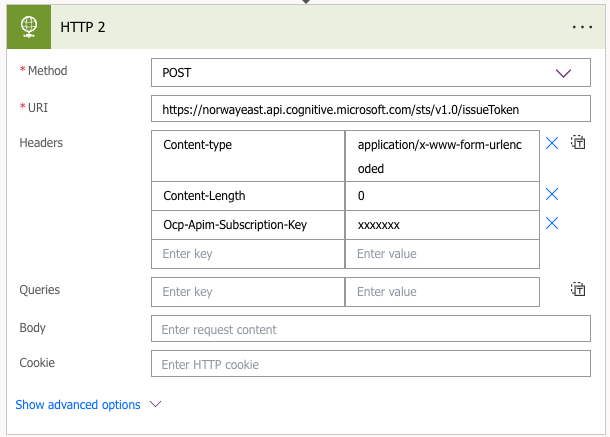
Create a Compose action.
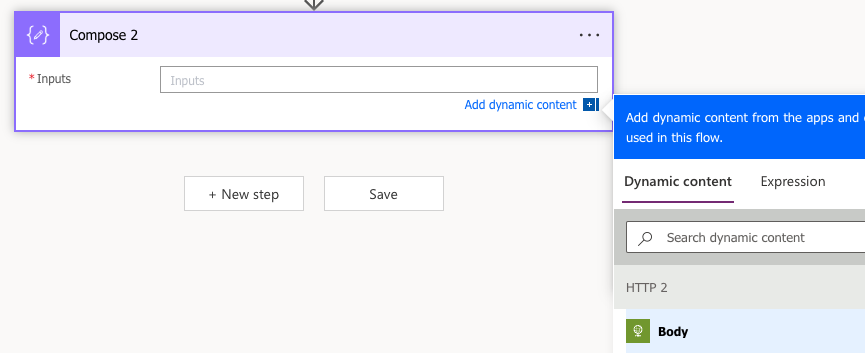
Add the body of HTTP 2 as input.

Create a HTTP action. Add your resource to the URL and set configuration as below.
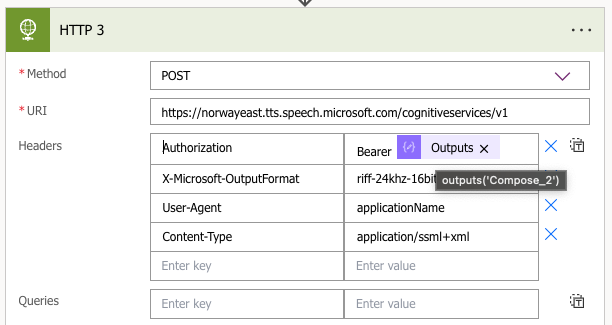
Add the expression into the request.
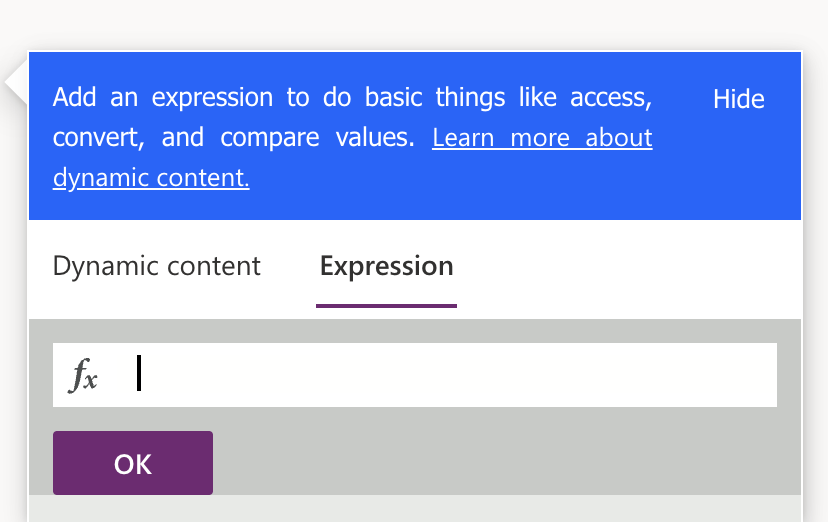
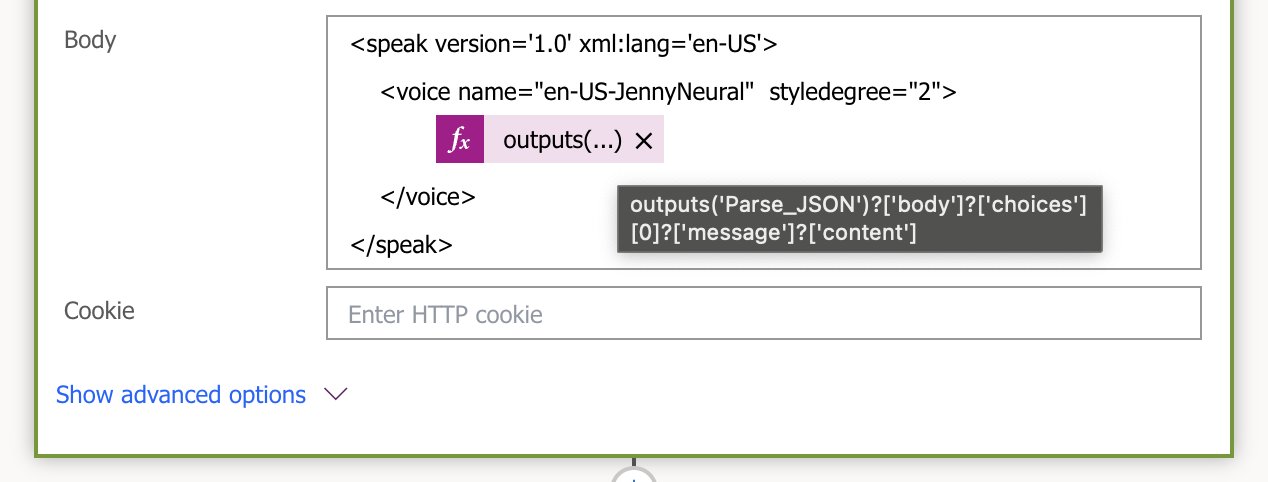
| <speak version='1.0' xml:lang='en-US'> | |
| <voice name="en-US-JennyNeural" styledegree="2"> | |
| </voice> | |
| </speak> |
| outputs('Parse_JSON')?['body']?['choices'][0]?['message']?['content'] |
Create an Initialize variable action.
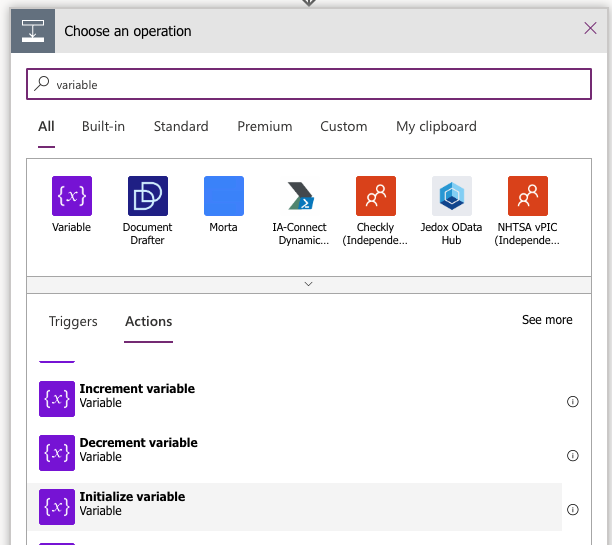
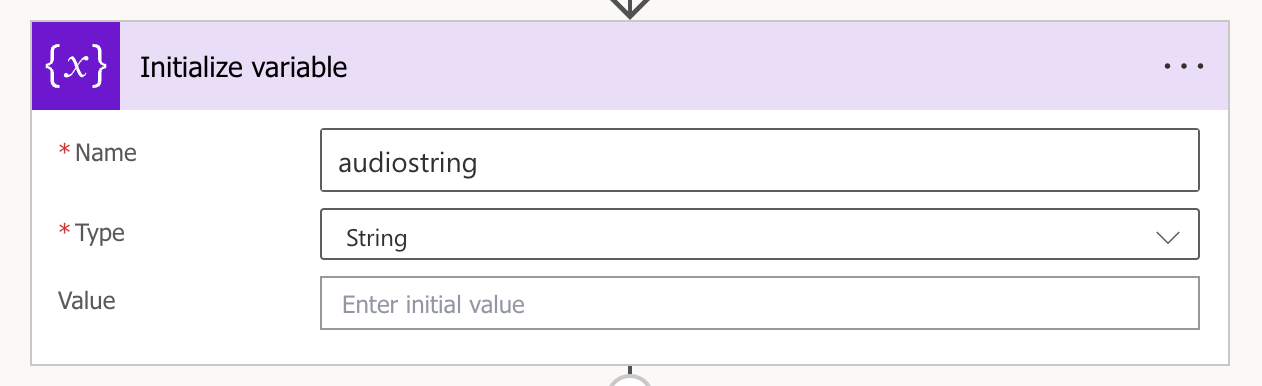
Create an Set variable action.
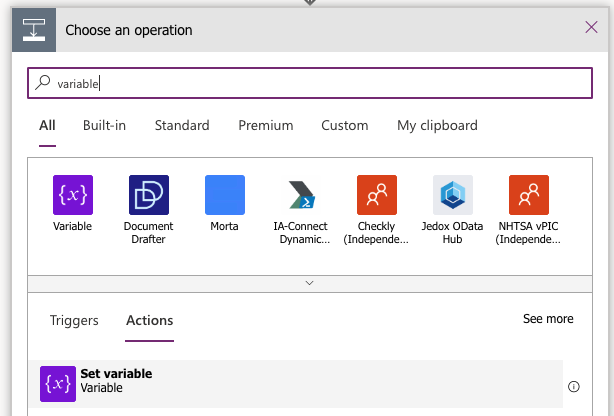
Add the expression from bellow.
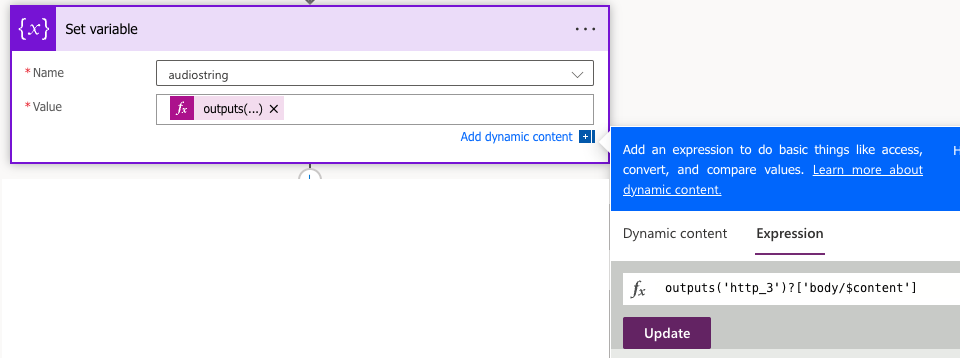
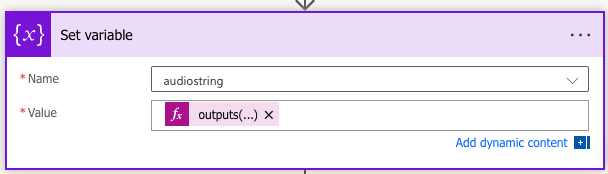
| outputs('http_3')?['body/$content'] |
Create an Compose action and add the expression.
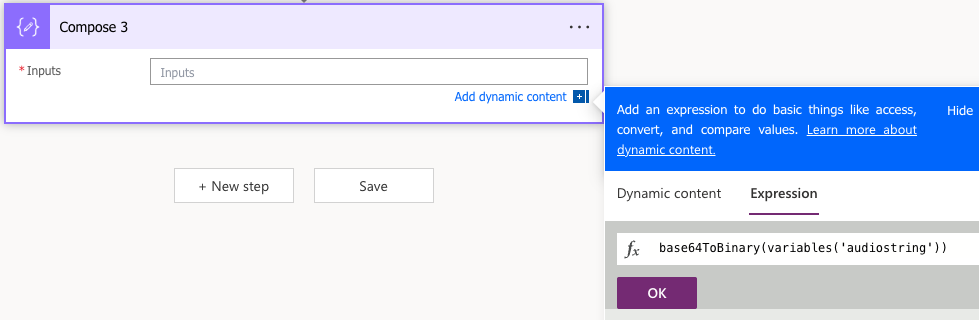
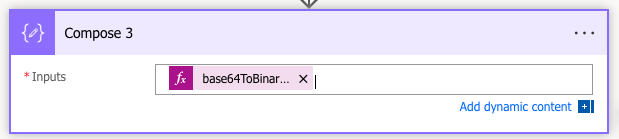
| base64ToBinary(variables('audiostring')) |
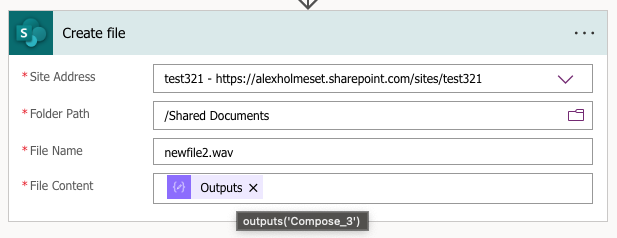
Create a SharePoint – Create file action.
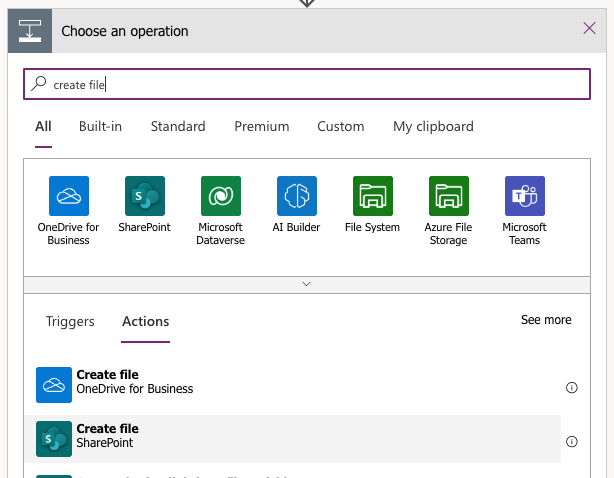
Select your site/library, add a filename and Compose 3 as file content.
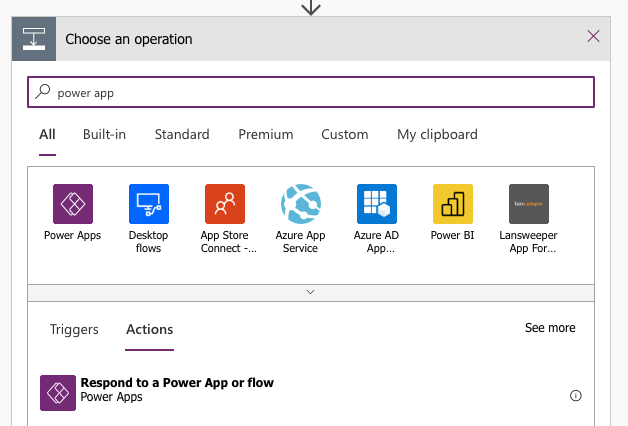
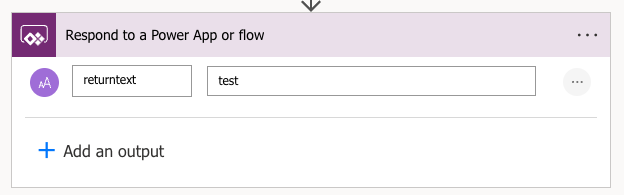
Create an Respond to Power App or flow action.
call it returntext and add test as the text.
That’s it, you should now have a functioning POC for VoiceVision!
 A blog about automation and technologies in the cloud