
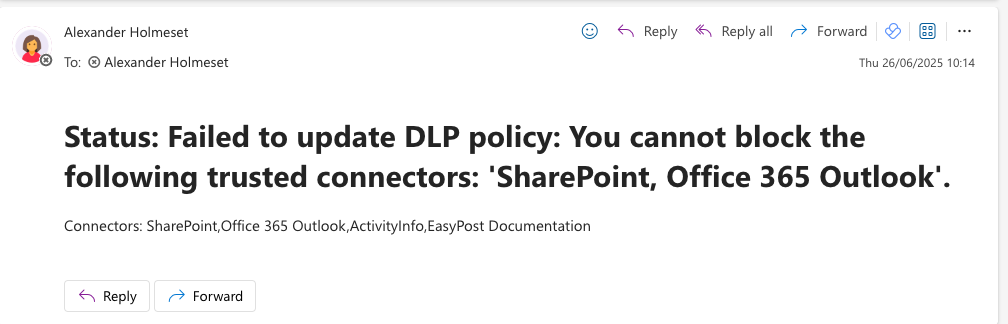
Data loss prevention policies in Power Platform (Power Apps, Power Automate and Copilot Studio) controls which pre-made connectors are allowed or not. You have 3 categories, Business, Non-Business and Blocked. All new connectors that’s added to Power Platform is added to Non-Business. I have created a script that checks for new connectors, and automatically adds them to Blocked, then notifies you by email. This way you have control and can choose when new connectors should be available to your users. Connectors like SharePoint, Teams….. are what we call trusted connectors, and cant be added to blocked. Anyway you will get a email about it failed to move to Block, and with an error message/reason.
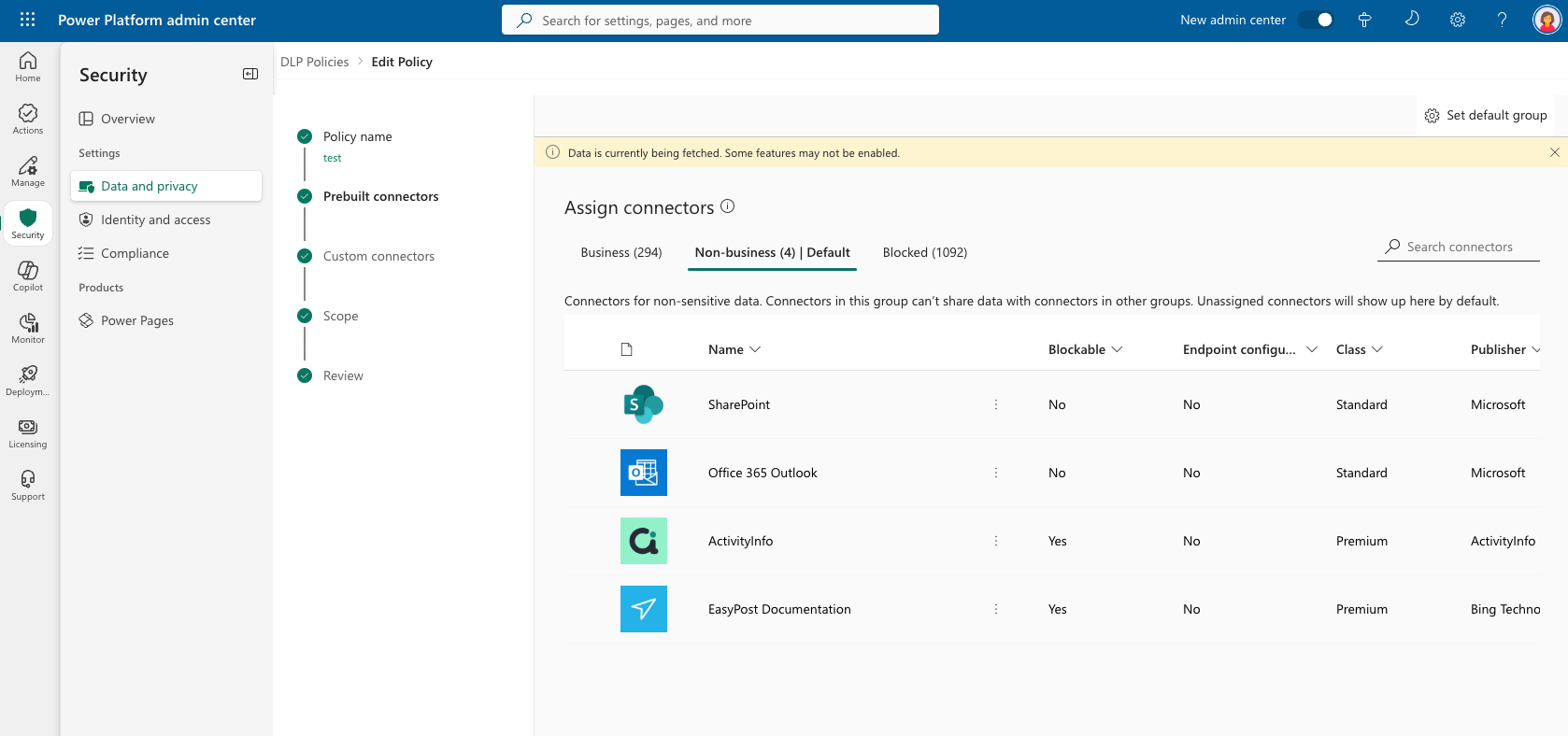
First you need to create an Azure App Registration to authenticate against DLP in Power Apps. Copy the client id/application id and create a secret. When you have done that, make sure you have the PowerShell module microsoft.powerapps.administration.powershell. Now you run this command with your own Application ID:
New-PowerAppManagementApp -ApplicationId “43694fc8-e417-442c-bc09-7916334e79cd”
Next we need an Azure Automation Account. Before we go on to setup the modules and runbook, we need to give the Automation Account the rights to send emails by using Graph API. Run the following script to do that.
Next is to go into the runtime environment in your Automation Account and add these 3 modules:
* Microsoft.Graph.Authentication
* Microsoft.Graph.Users.Actions
* Microsoft.PowerApps.Administration.PowerShell
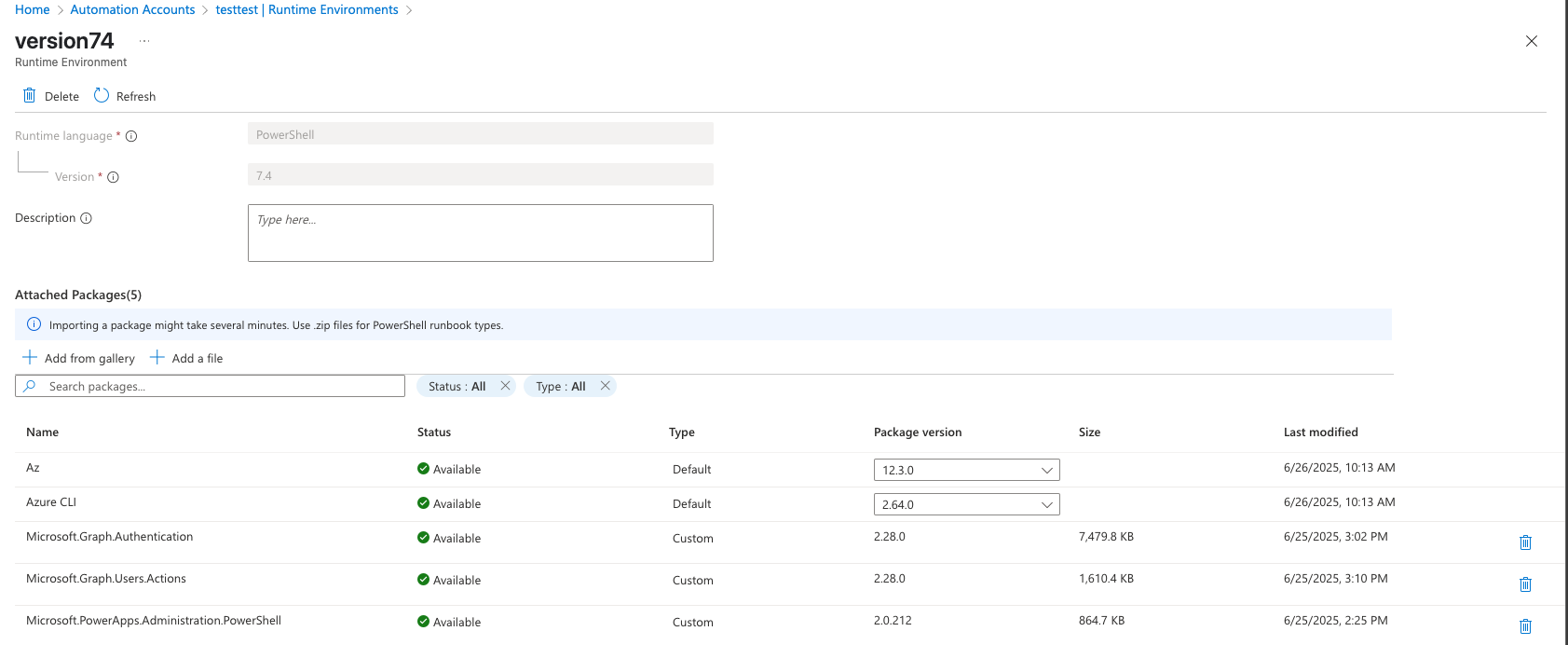
Now create a Runbook and paste the script:
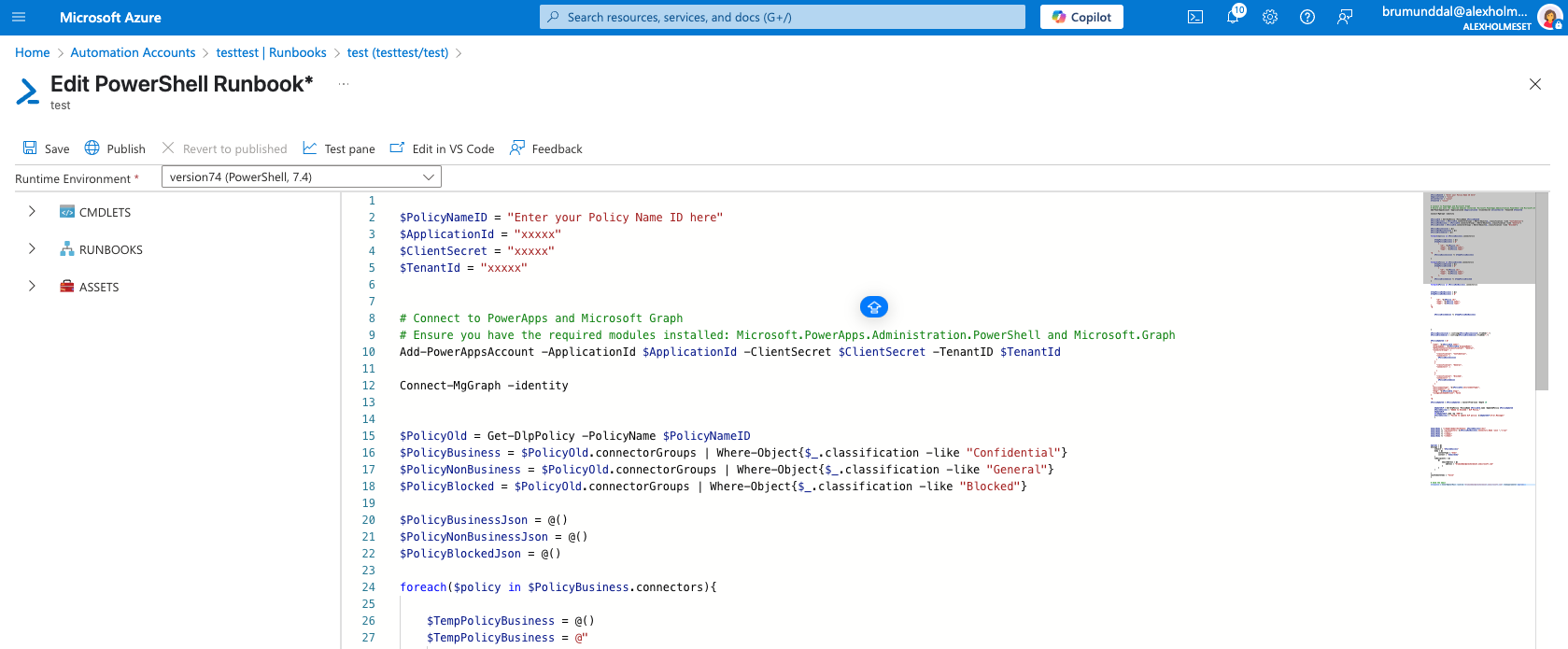
| $PolicyNameID = "Enter your Policy Name ID here" | |
| $ApplicationId = "xxxxx" | |
| $ClientSecret = "xxxxx" | |
| $TenantId = "xxxxx" | |
| # Connect to PowerApps and Microsoft Graph | |
| # Ensure you have the required modules installed: Microsoft.PowerApps.Administration.PowerShell and Microsoft.Graph | |
| Add-PowerAppsAccount -ApplicationId $ApplicationId -ClientSecret $ClientSecret -TenantID $TenantId | |
| Connect-MgGraph -identity | |
| $PolicyOld = Get-DlpPolicy -PolicyName $PolicyNameID | |
| $PolicyBusiness = $PolicyOld.connectorGroups | Where-Object{$_.classification -like "Confidential"} | |
| $PolicyNonBusiness = $PolicyOld.connectorGroups | Where-Object{$_.classification -like "General"} | |
| $PolicyBlocked = $PolicyOld.connectorGroups | Where-Object{$_.classification -like "Blocked"} | |
| $PolicyBusinessJson = @() | |
| $PolicyNonBusinessJson = @() | |
| $PolicyBlockedJson = @() | |
| foreach($policy in $PolicyBusiness.connectors){ | |
| $TempPolicyBusiness = @() | |
| $TempPolicyBusiness = @" | |
| { | |
| "id": "$($Policy.id)", | |
| "name": "$($Policy.name)", | |
| "type": "$($Policy.type)" | |
| }, | |
| "@ | |
| $PolicyBusinessJson += $TempPolicyBusiness | |
| } | |
| foreach($Policy in $PolicyBlocked.connectors){ | |
| $TempPolicyBlocked = @() | |
| $TempPolicyBlocked = @" | |
| { | |
| "id": "$($Policy.id)", | |
| "name": "$($Policy.name)", | |
| "type": "$($Policy.type)" | |
| }, | |
| "@ | |
| $PolicyBlockedJson += $TempPolicyBlocked | |
| } | |
| foreach($Policy in $PolicyNonBusiness.connectors){ | |
| $TempPolicyNonBusiness = @() | |
| $TempPolicyNonBusiness = @" | |
| { | |
| "id": "$($Policy.id)", | |
| "name": "$($Policy.name)", | |
| "type": "$($Policy.type)" | |
| }, | |
| "@ | |
| $PolicyBlockedJson += $TempPolicyNonBusiness | |
| } | |
| $PolicyBusinessJson = ([string]$PolicyBusinessJson).TrimEnd(",") | |
| $PolicyBlockedJson = ([string]$PolicyBlockedJson).TrimEnd(",") | |
| $PolicyUpdated = @" | |
| { | |
| "name": "$($PolicyOld.name)", | |
| "displayName": "$($PolicyOld.displayName)", | |
| "defaultConnectorsClassification": "General", | |
| "connectorGroups": [ | |
| { | |
| "classification": "Confidential", | |
| "connectors": [ | |
| $PolicyBusinessJson | |
| ] | |
| }, | |
| { | |
| "classification": "General", | |
| "connectors": [ | |
| ] | |
| }, | |
| { | |
| "classification": "Blocked", | |
| "connectors": [ | |
| $PolicyBlockedJson | |
| ] | |
| } | |
| ], | |
| "environmentType": "$($PolicyOld.environmentType)", | |
| "environments": [], | |
| "etag": "$($PolicyOld.etag)", | |
| "isLegacySchemaVersion": false | |
| } | |
| "@ | |
| $PolicyUpdated = $PolicyUpdated | ConvertFrom-Json -Depth 10 | |
| $UpdateDLP = Set-DlpPolicy -PolicyName $PolicyOld.name -UpdatedPolicy $PolicyUpdated | |
| $FailedSuccess = "Added to Blocked - DLP Policy." | |
| $UpdateDLP | |
| If($UpdateDLP.code -eq "400"){ | |
| $FailedSuccess = "Failed to update DLP policy: $($UpdateDLP.Error.Message)" | |
| } | |
| $emailBody = "</head><body><h1>Status: $FailedSuccess</h1>" | |
| $emailBody += "<p>Connectors: $($PolicyNonBusiness.Connectors.Name -join ",")</p>" | |
| $emailBody += "</div>" | |
| $emailBody += "</body>" | |
| $emailBody += "</html>" | |
| $params = @{ | |
| message = @{ | |
| subject = "$FailedSuccess" | |
| body = @{ | |
| contentType = "html" | |
| content = "$emailbody" | |
| } | |
| toRecipients = @( | |
| @{ | |
| emailAddress = @{ | |
| address = "[email protected]" | |
| } | |
| } | |
| ) | |
| } | |
| saveToSentItems = "false" | |
| } | |
| # Send the email | |
| $response = Send-MgUserMail -userid "[email protected]" -bodyparameter $params |
Its recommended that you add you secret to Keyvault and load it from there into the script.
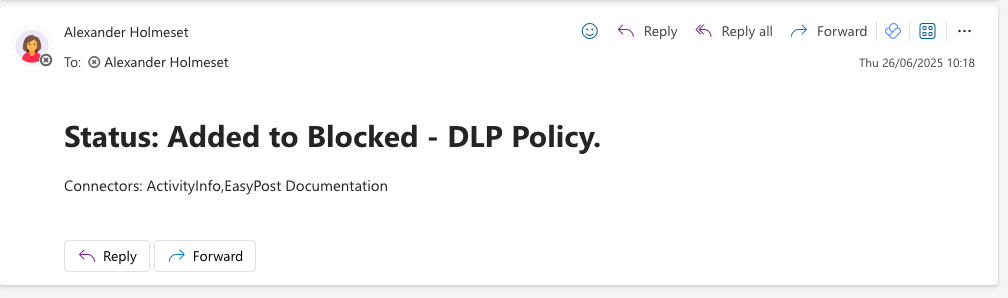
If all is working as it should now, you should receive emails looking like this:
 A blog about automation and technologies in the cloud