
Did you know that AI can do sentiment analysis?
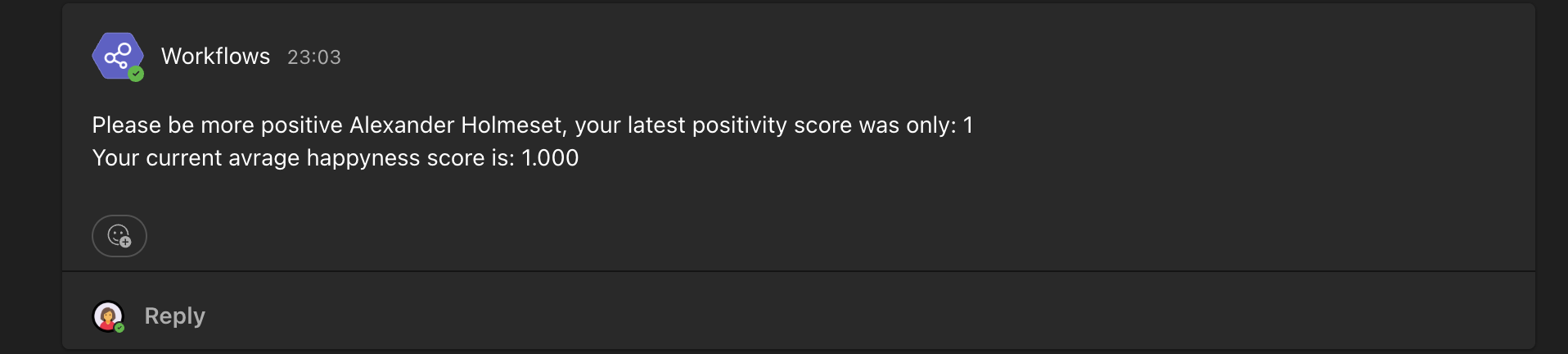
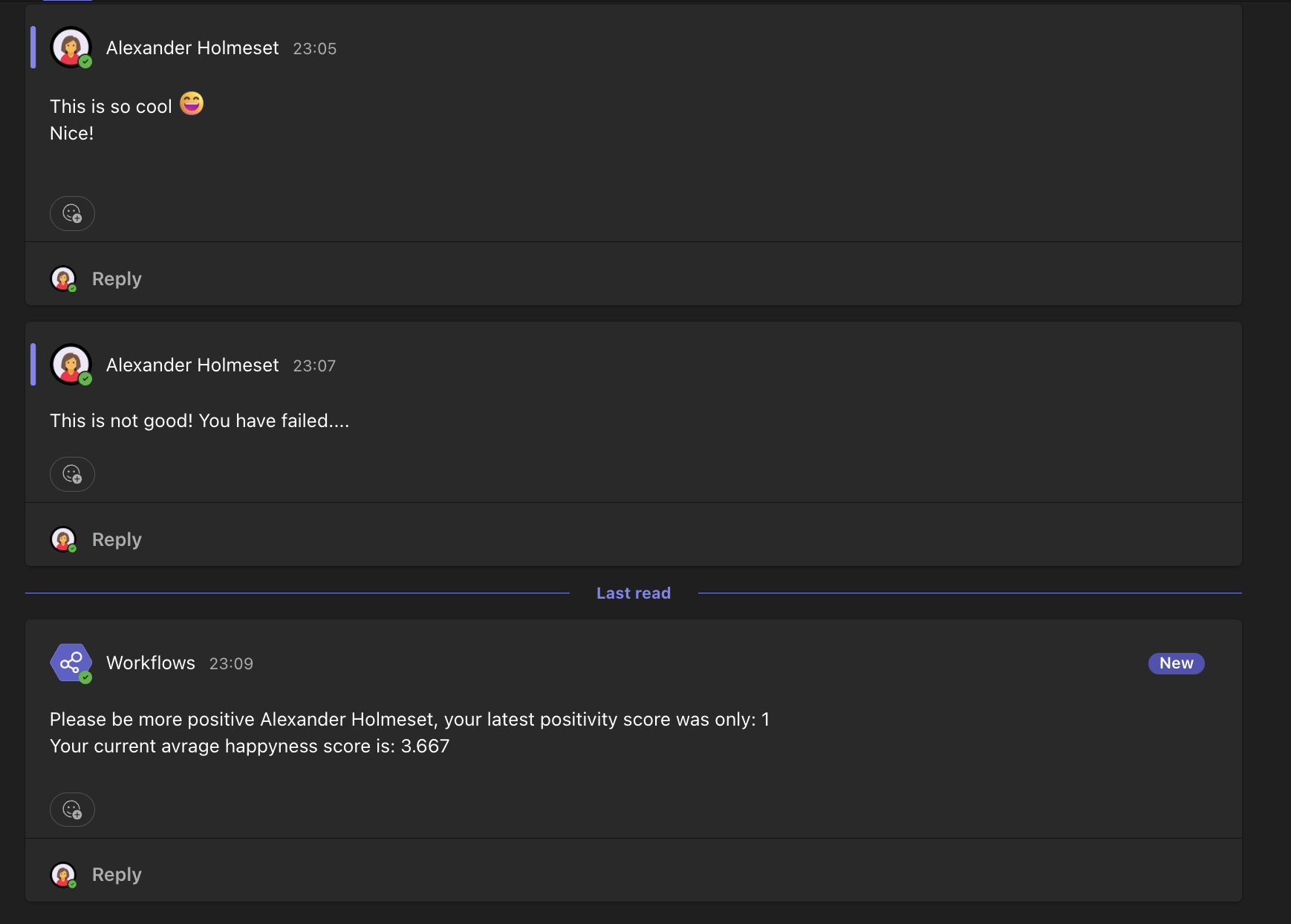
It can understand how happy, sad, angry… you are based on the text you input. This is just a fun little proof of concept to see what AI is capable of, and not something to actually use in production, as it’s in the 1984/Big Brother territory. In this blogpost I will show you step by step how you can setup a solution the monitors a users positivity rating in Microsoft Teams. As soon as the score is below 6 out of 10, a message will be sent to the user to ask them to be more positive. It will also post the average score for the user.
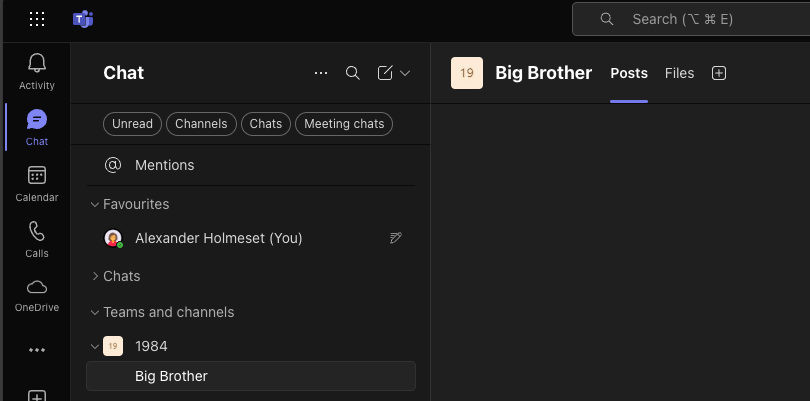
Start by creating a new team and channel.
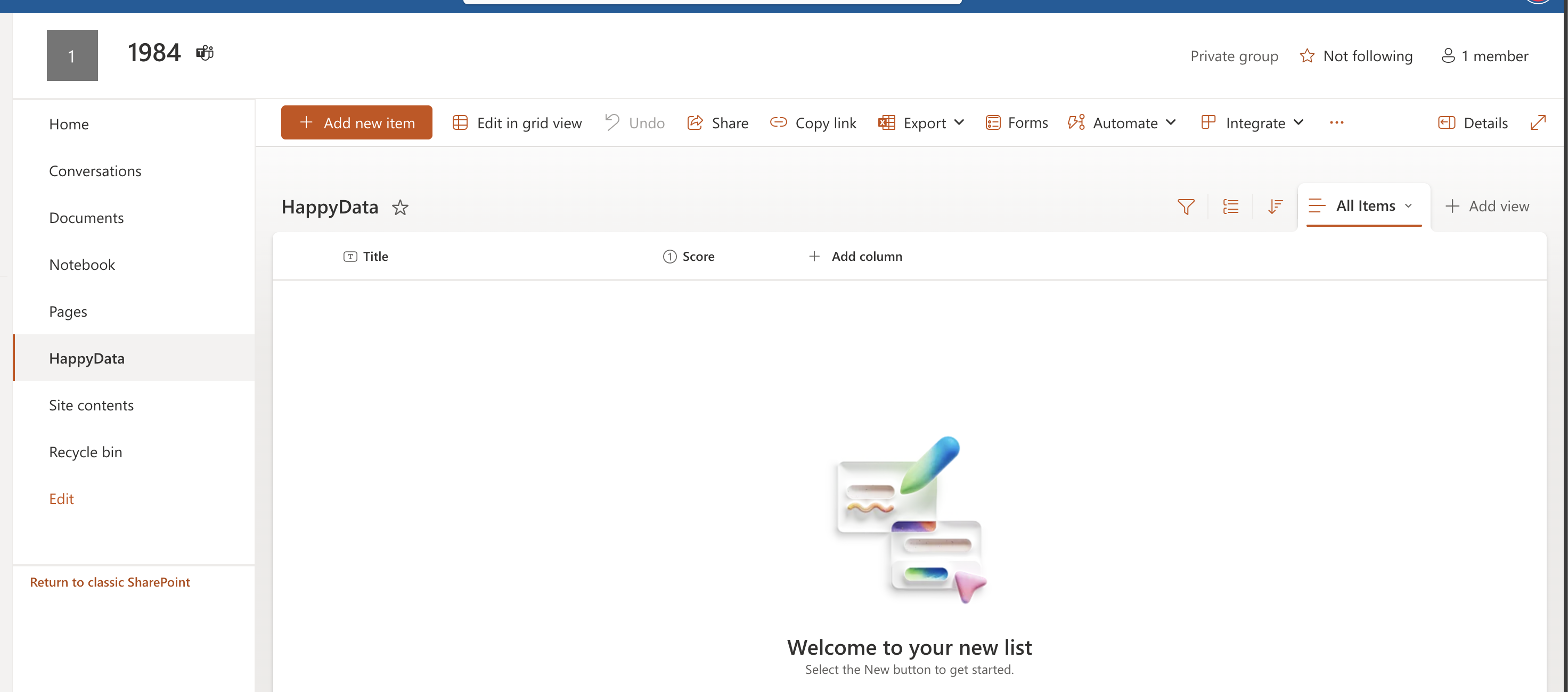
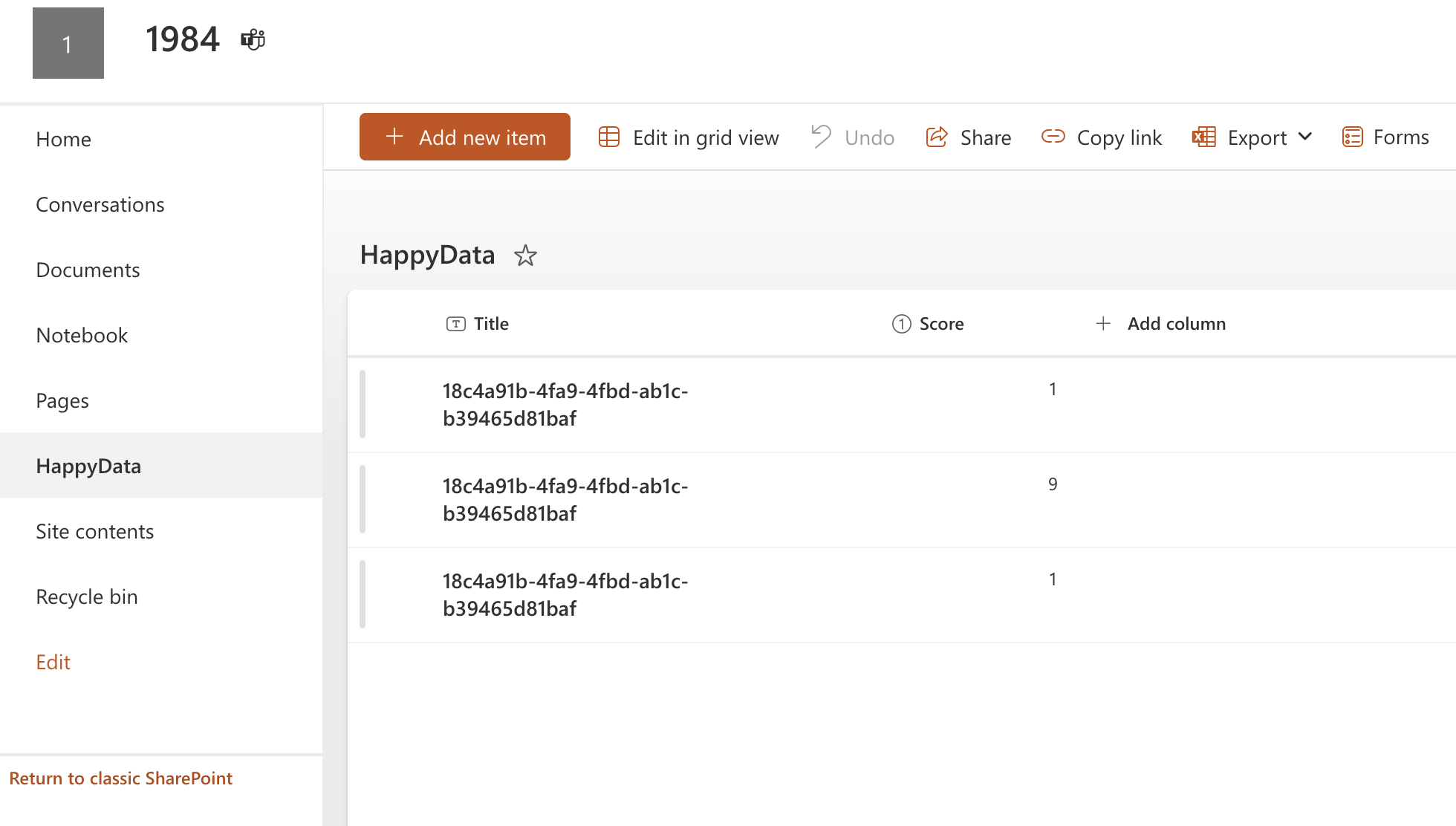
You also need to create a SharePoint List with the fields Title (text) and Score (number).
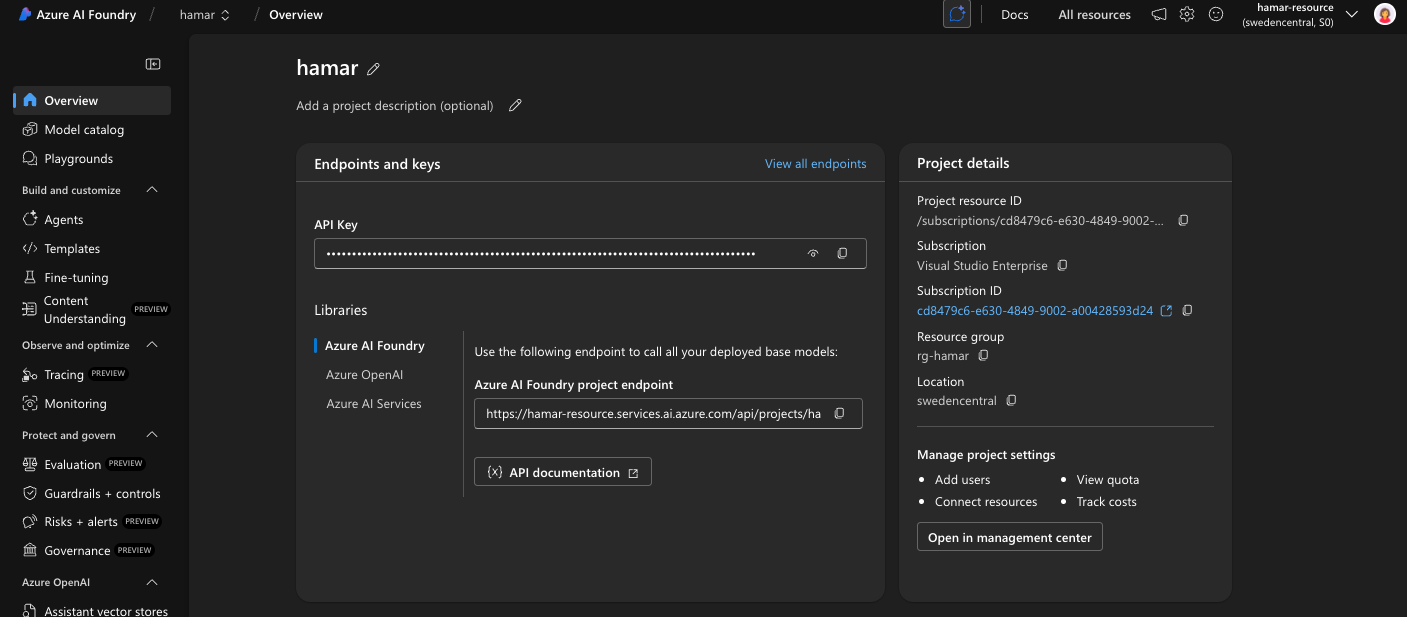
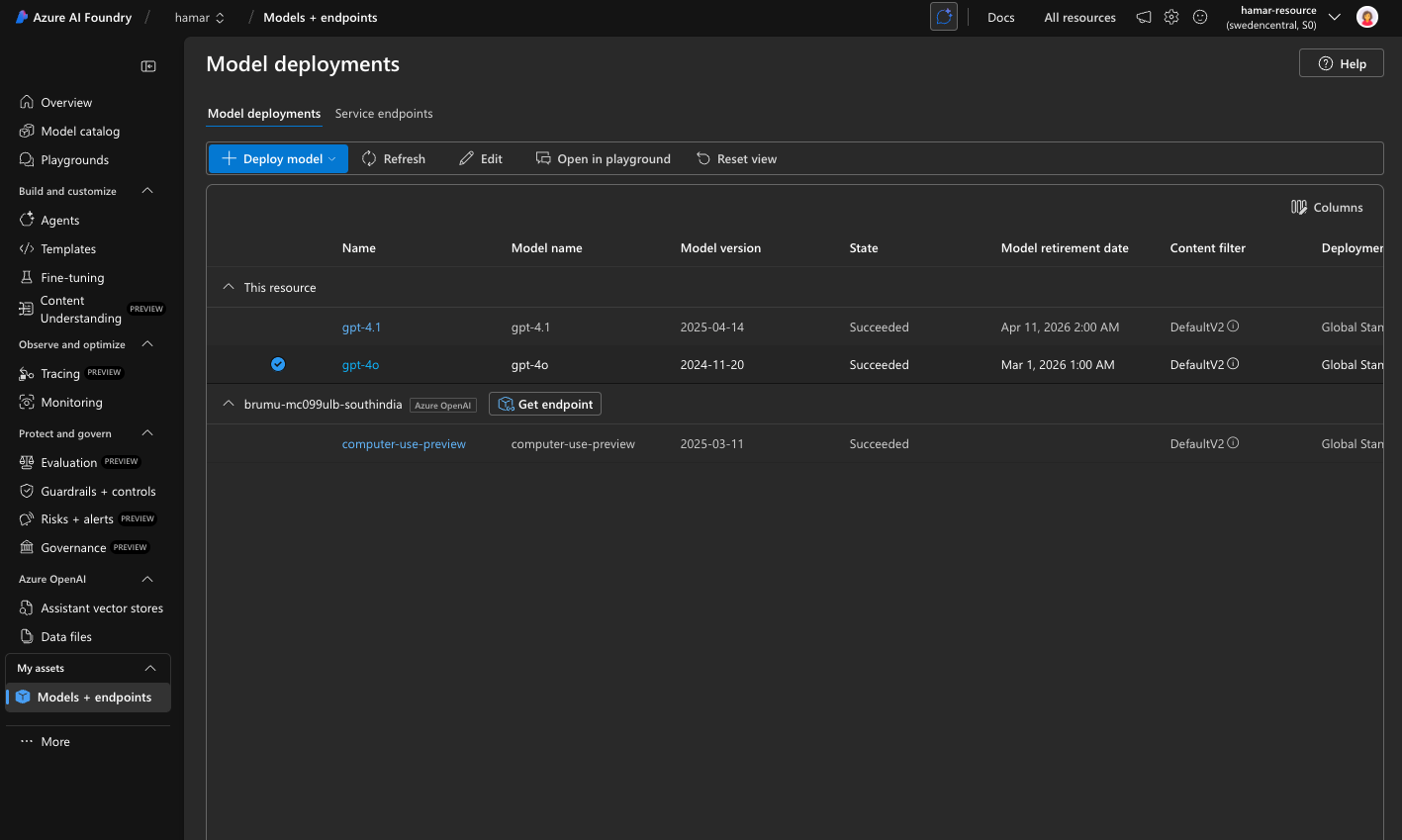
Next you need to create a deployment of a AI model in Azure AI Foundry. I am using GPT-4o in this blog.
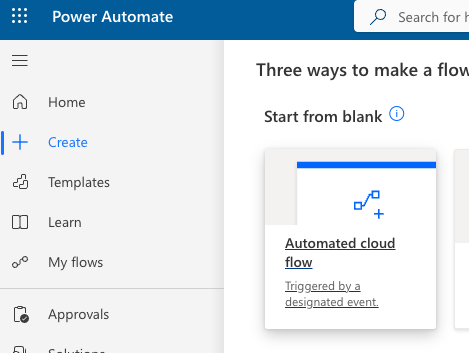
Go to make.powerautomate.com and create a new Automated cloud flow.
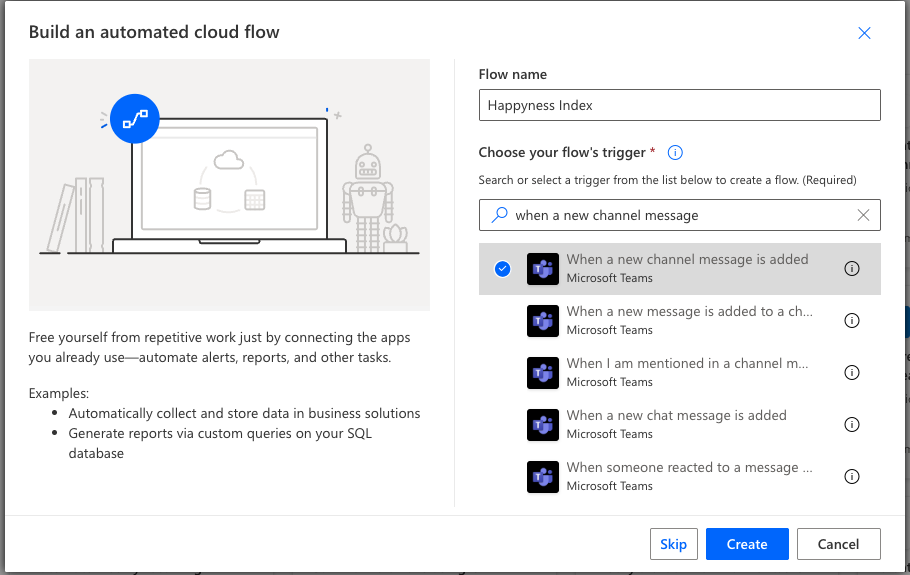
Give it a name and choose the “When a new channel message is added” trigger, click Create.
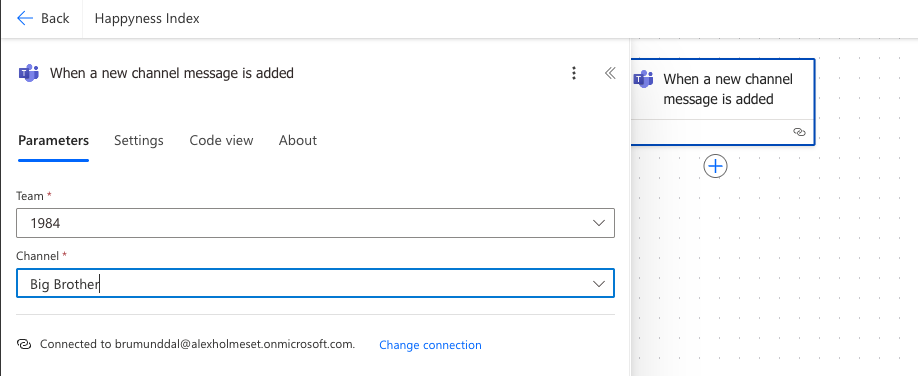
Choose the team and channel you created.
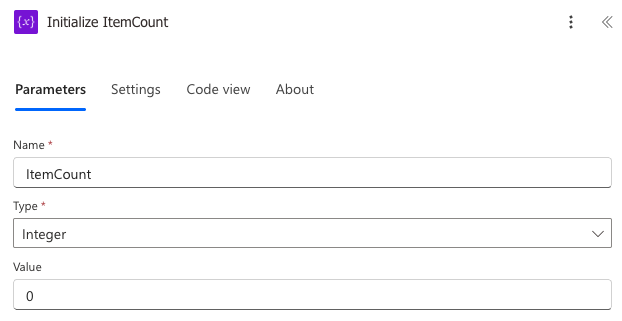
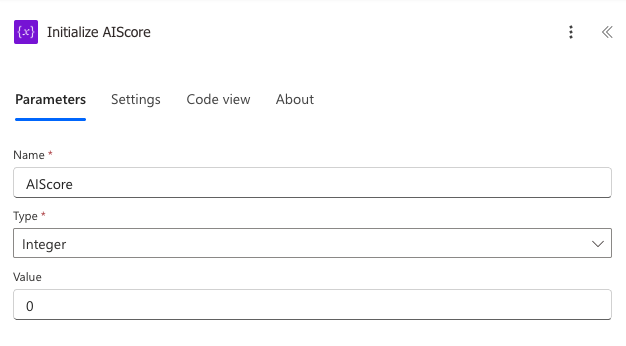
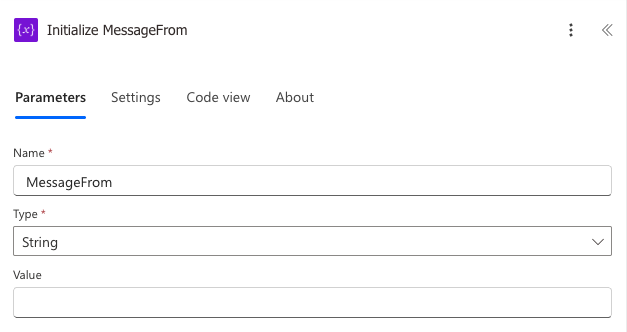
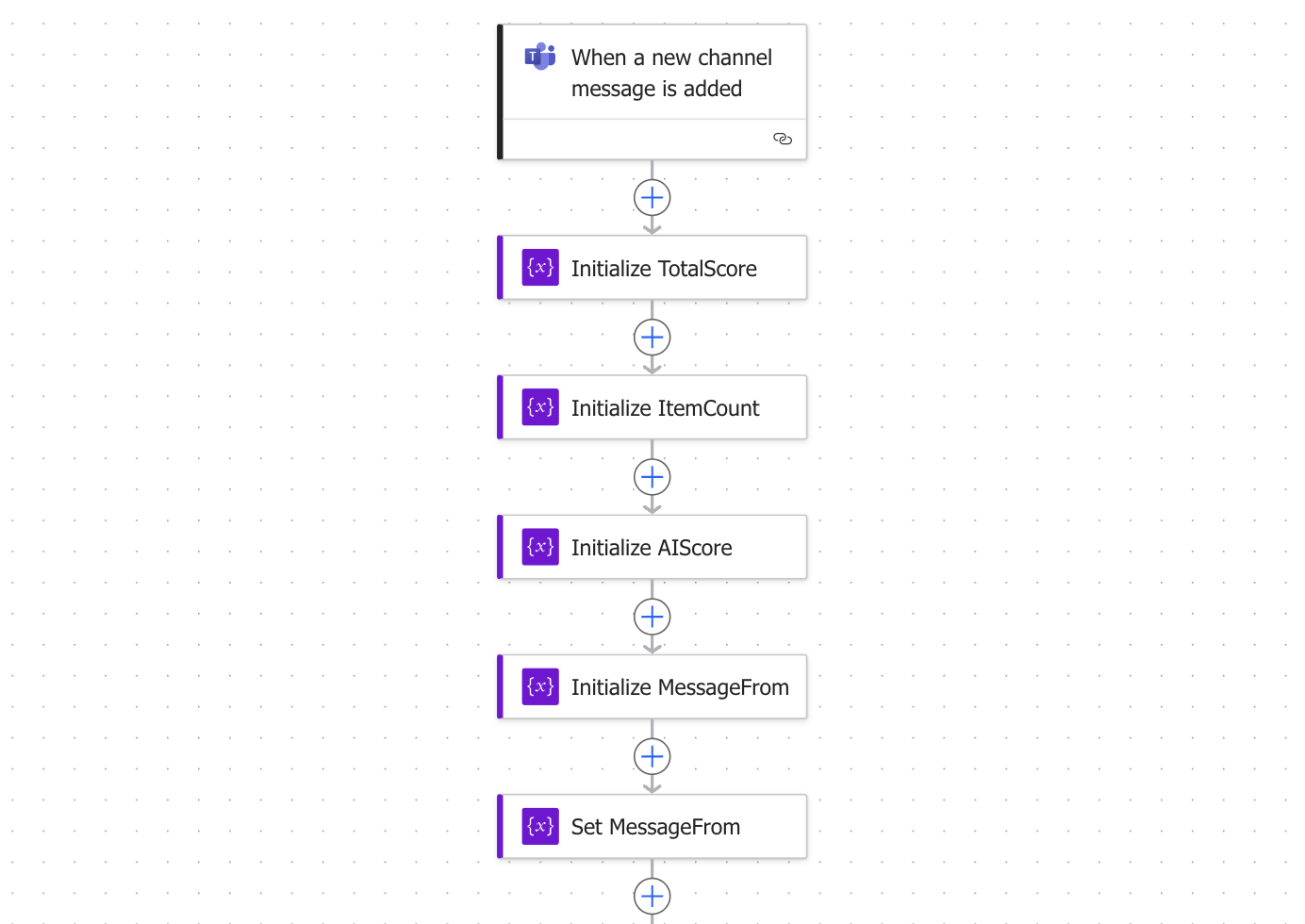
Add these 4 Initialize Variable actions.

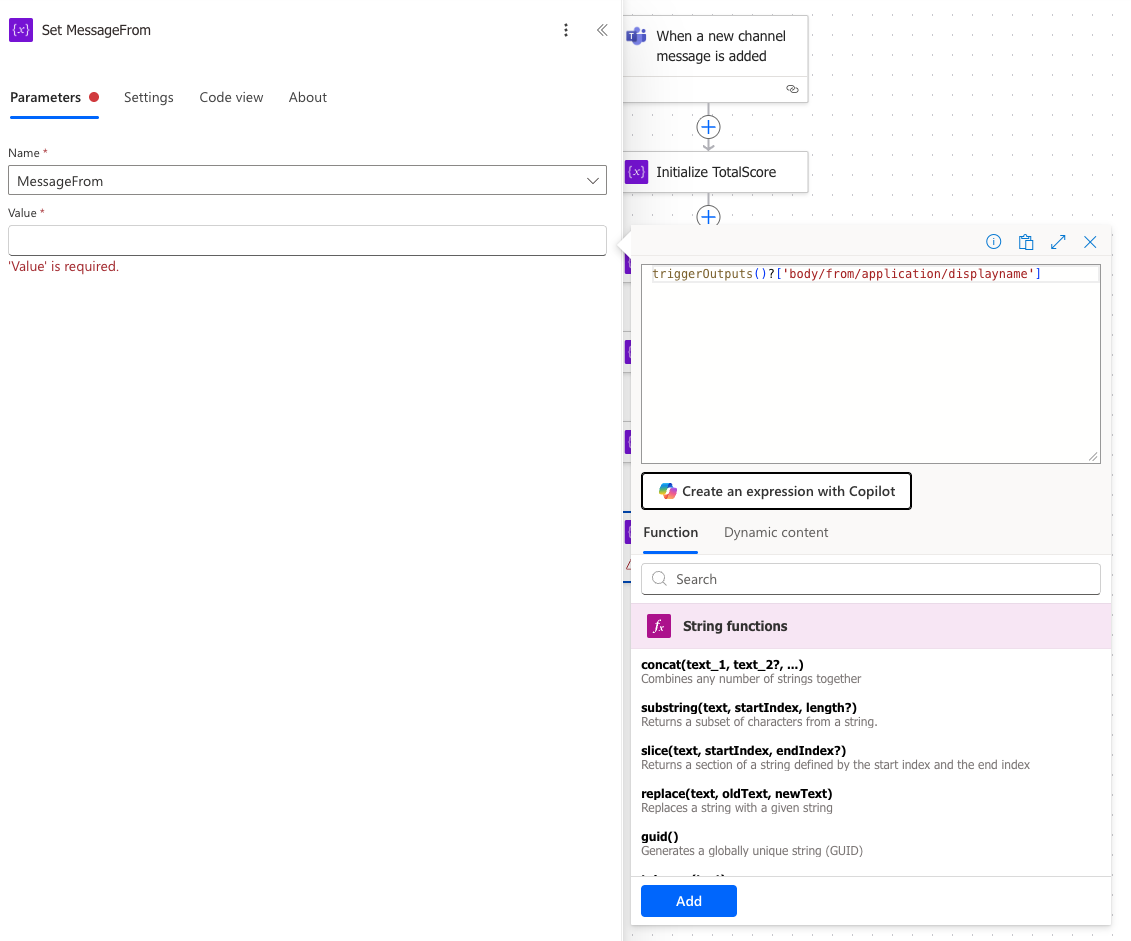
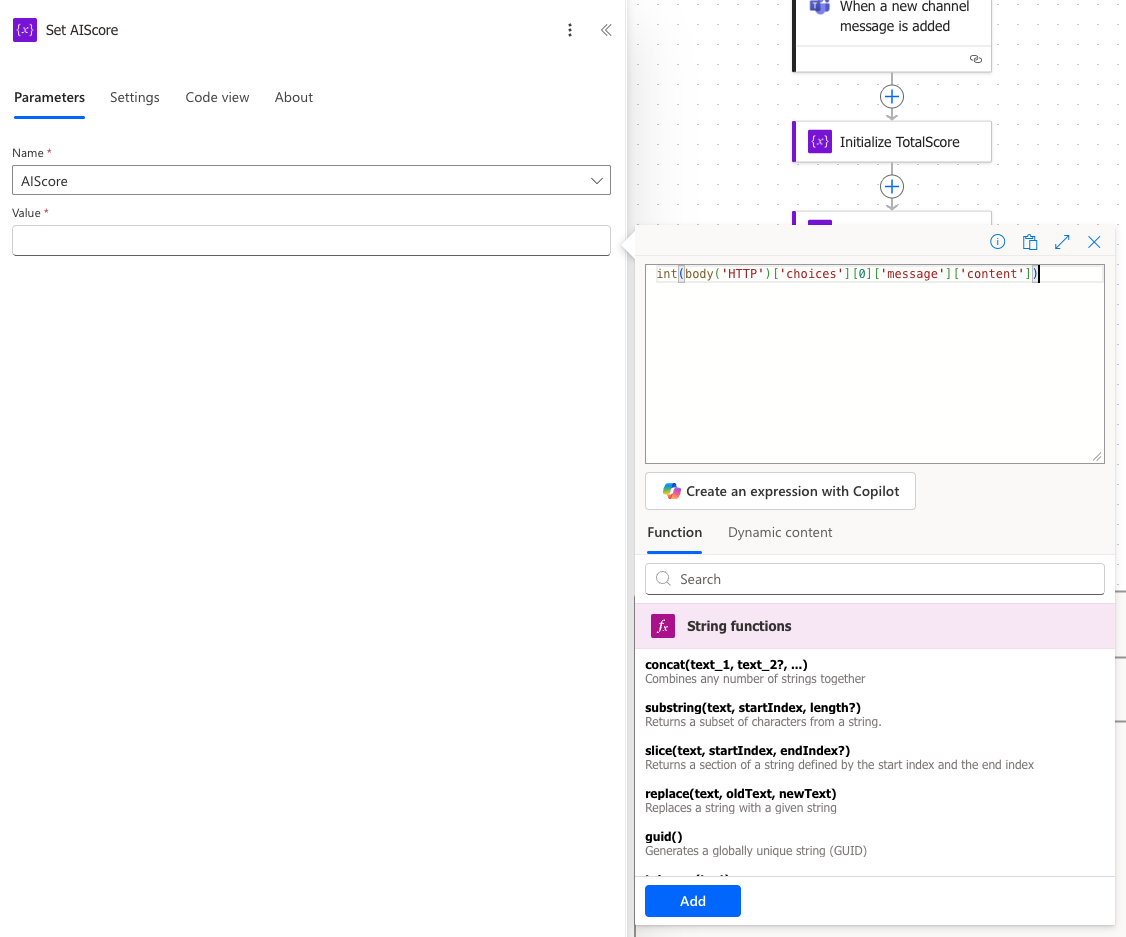
Now we need a Set variable action.
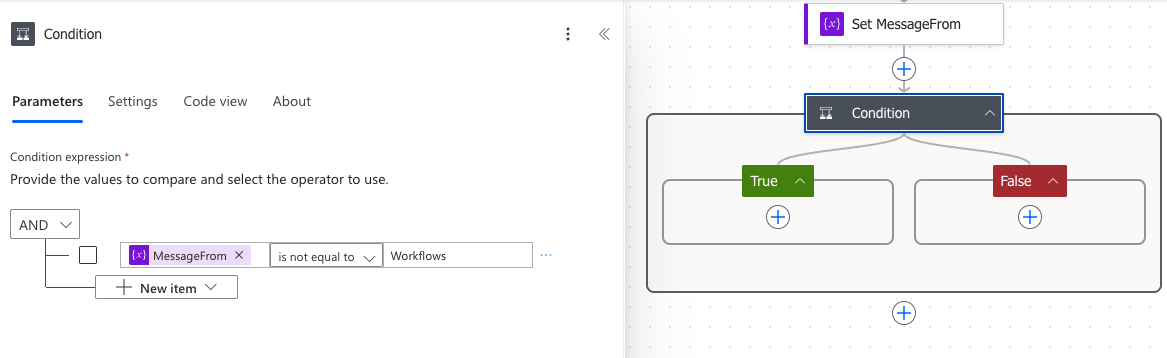
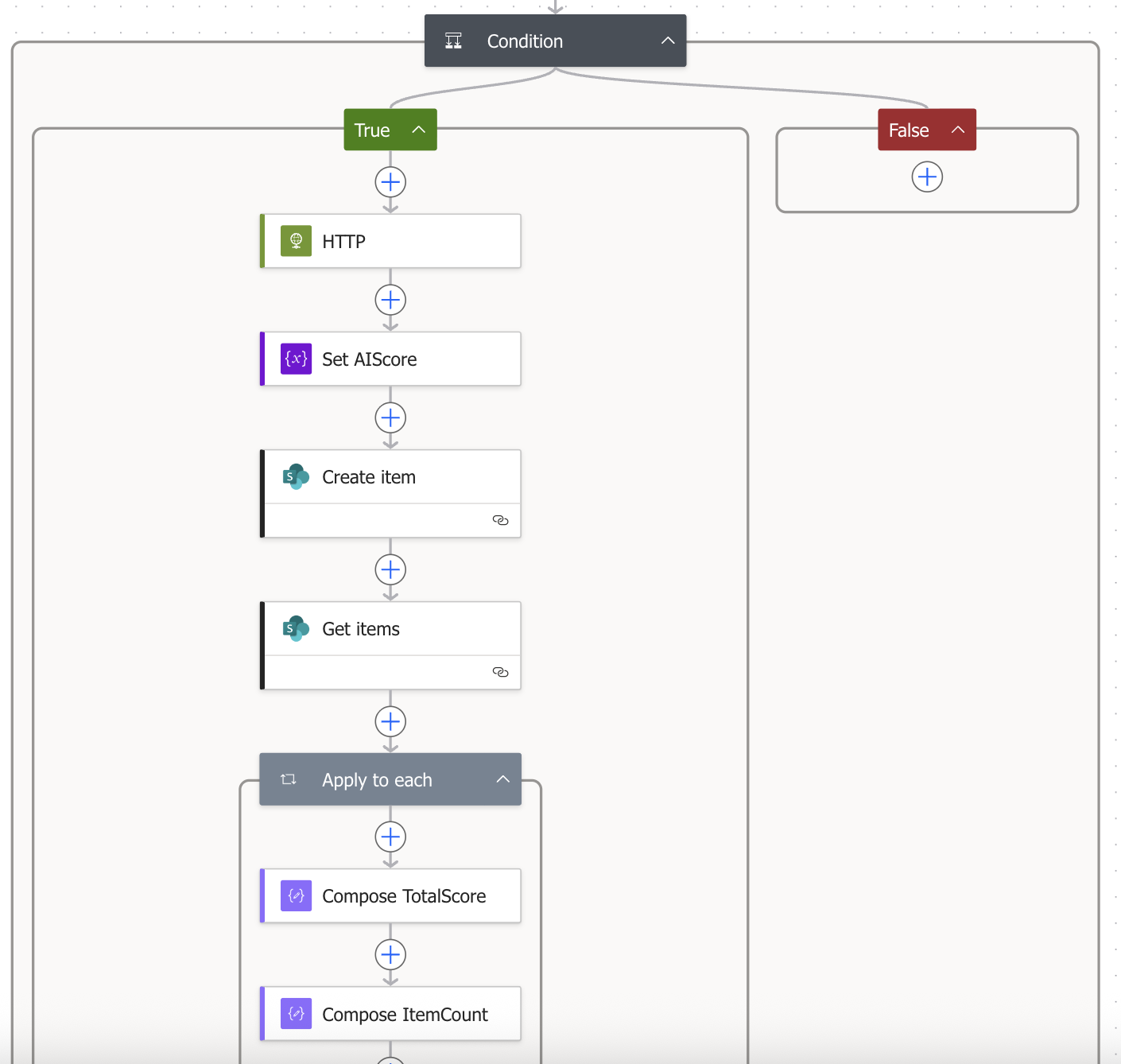
Now we need a Condition to filter out messages that the workflow pots in the channel.
Add a HTTP action.
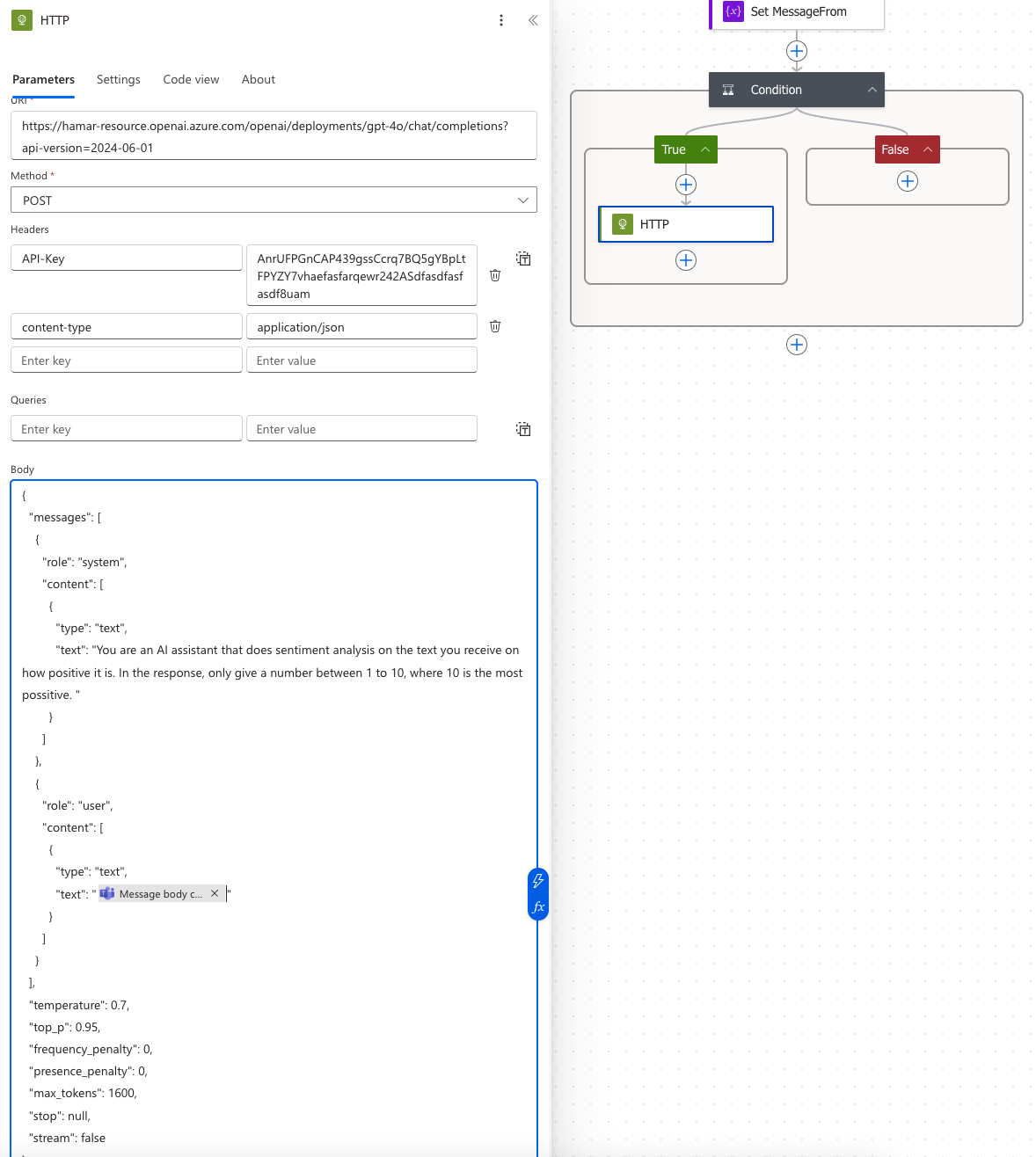
| { | |
| "messages": [ | |
| { | |
| "role": "system", | |
| "content": [ | |
| { | |
| "type": "text", | |
| "text": "You are an AI assistant that does sentiment analysis on the text you receive on how positive it is. In the response, only give a number between 1 to 10, where 10 is the most possitive. " | |
| } | |
| ] | |
| }, | |
| { | |
| "role": "user", | |
| "content": [ | |
| { | |
| "type": "text", | |
| "text": "" | |
| } | |
| ] | |
| } | |
| ], | |
| "temperature": 0.7, | |
| "top_p": 0.95, | |
| "frequency_penalty": 0, | |
| "presence_penalty": 0, | |
| "max_tokens": 1600, | |
| "stop": null, | |
| "stream": false | |
| } |
Message from Teams.
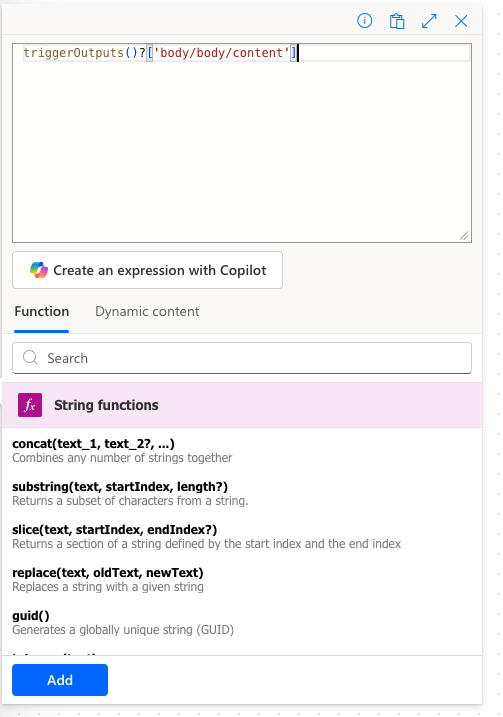
Add a Initialize Variable action.
Add a Create item action.
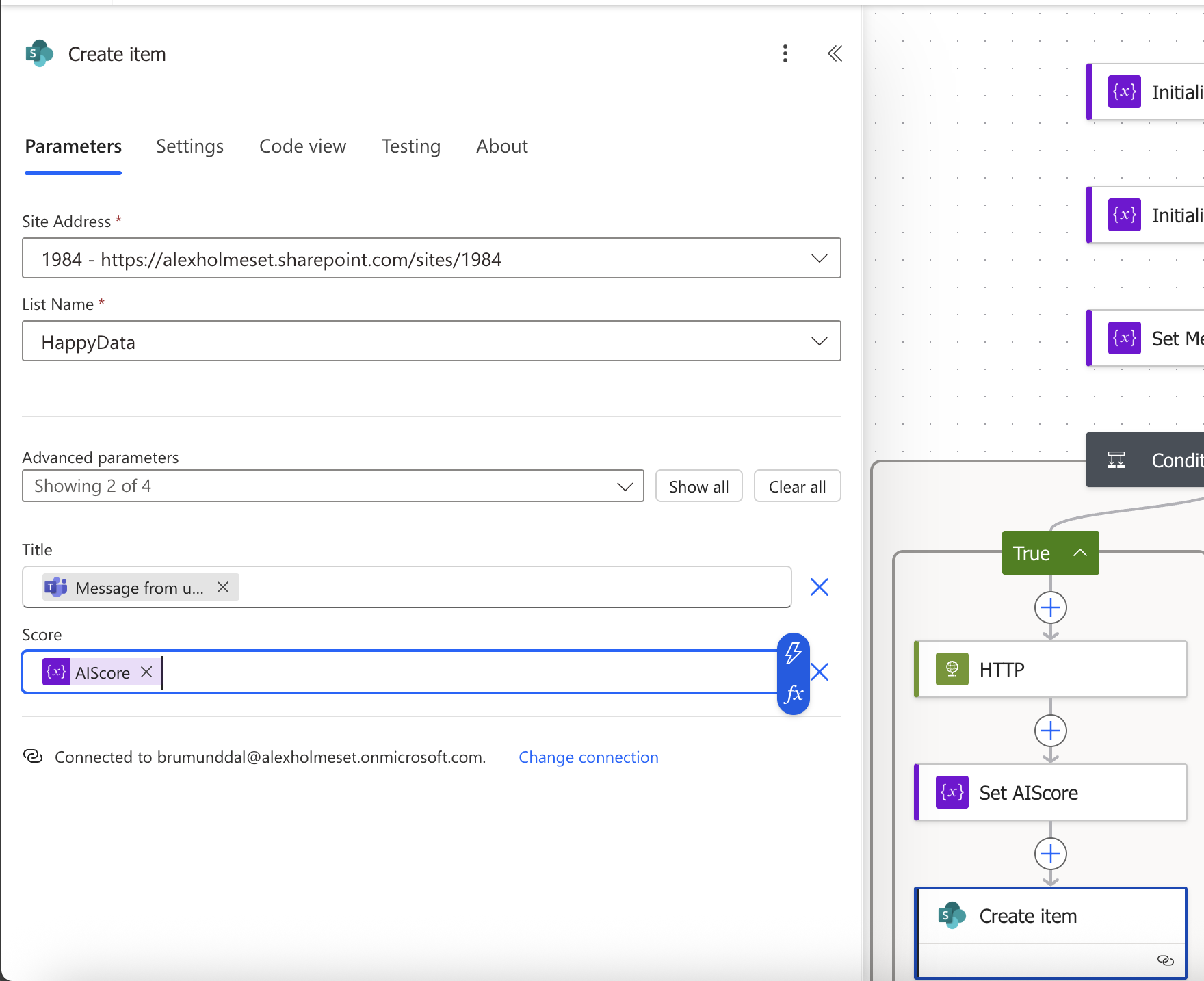
Title should contain the users id:

Score contains the score the AI model give the message.
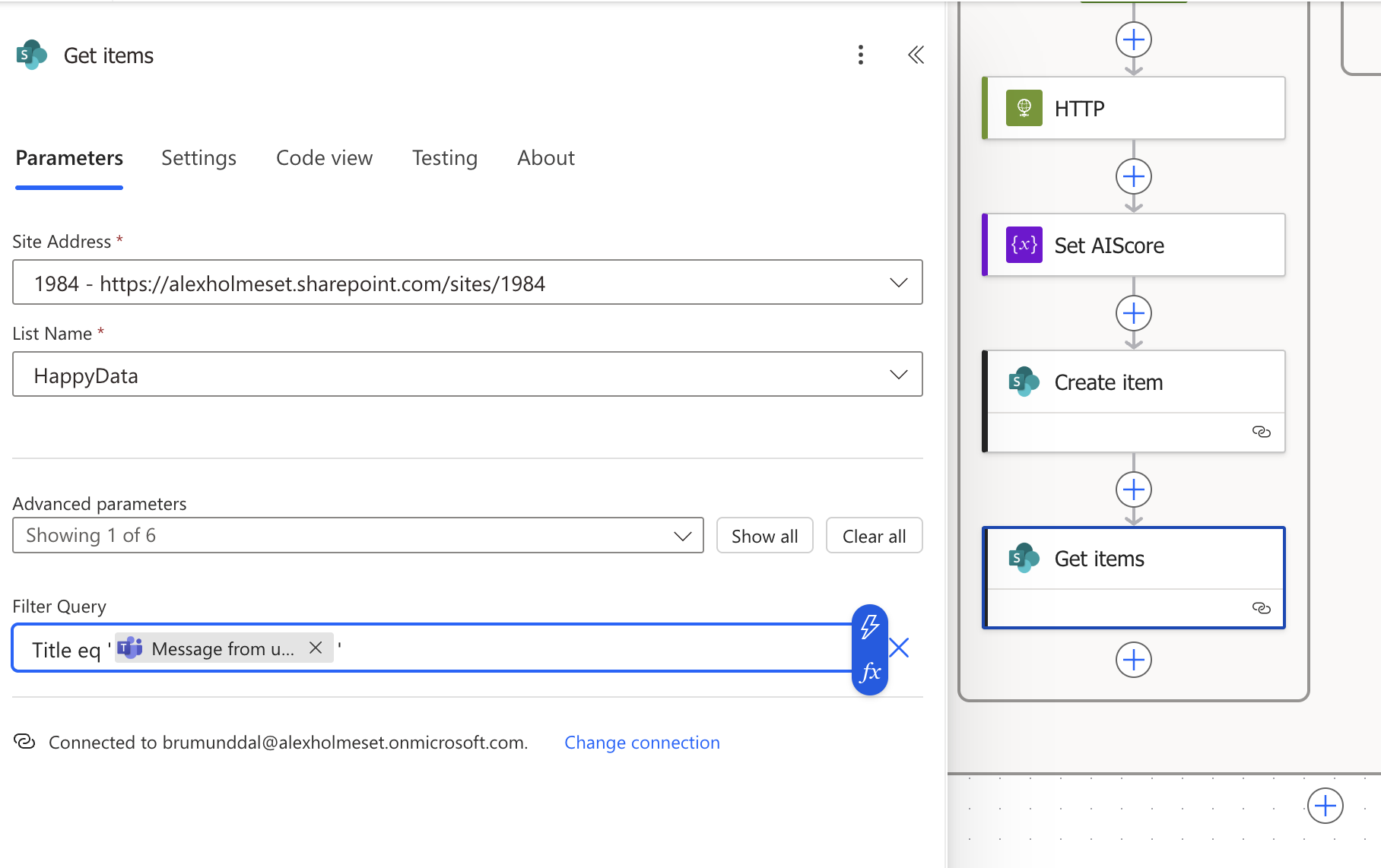
Now you need to get all the previous scores of a user to be able to calculate the average happiness score. Add a Get items action. You filter by the Title being the same as the users id.
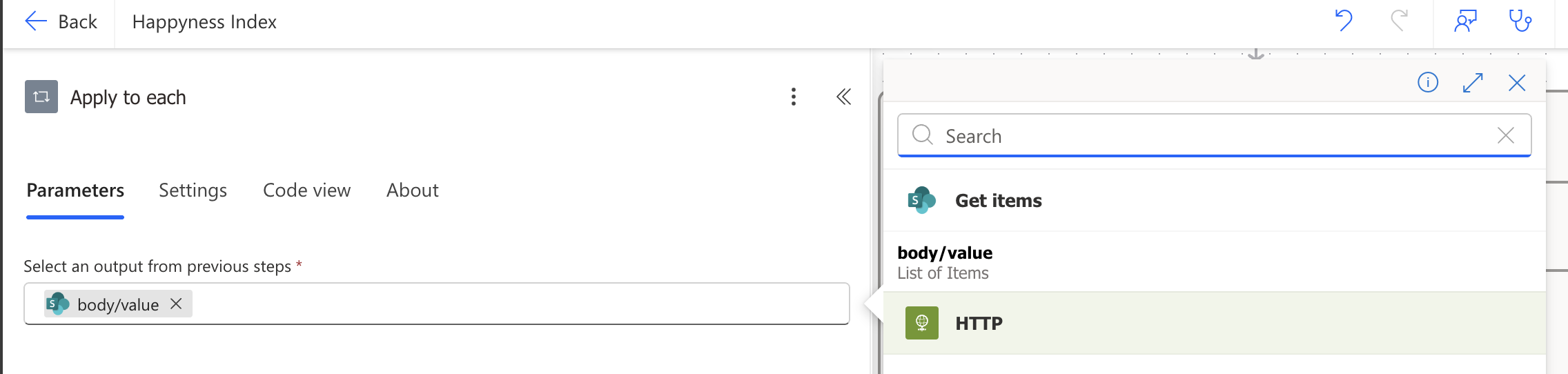
Create an Apply to each action, and add the value from Get items.
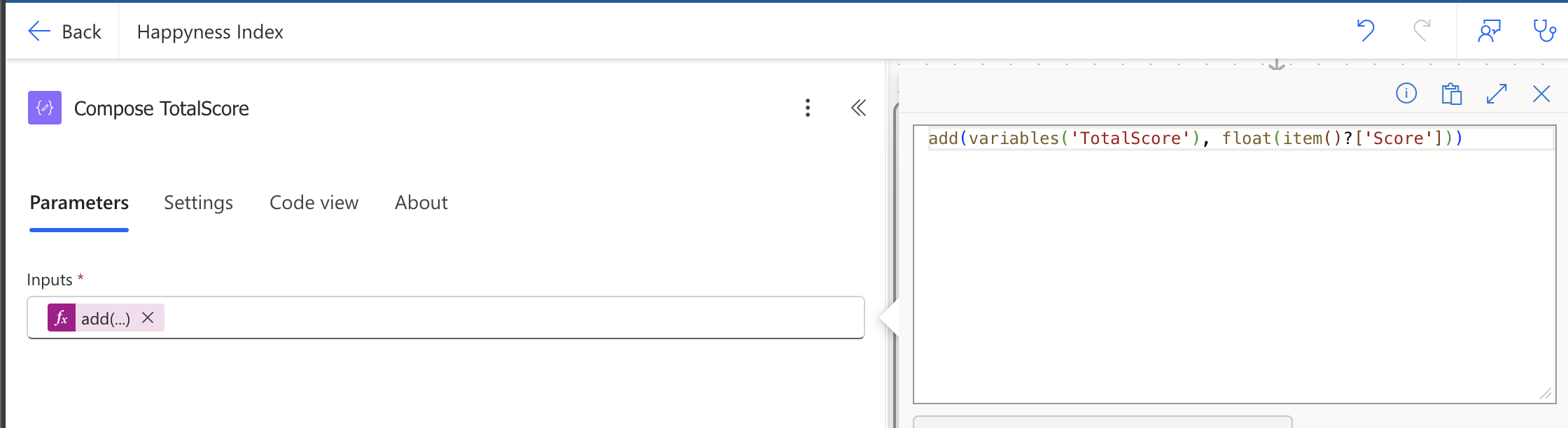
Add a Compose action.
Add a Compose action.
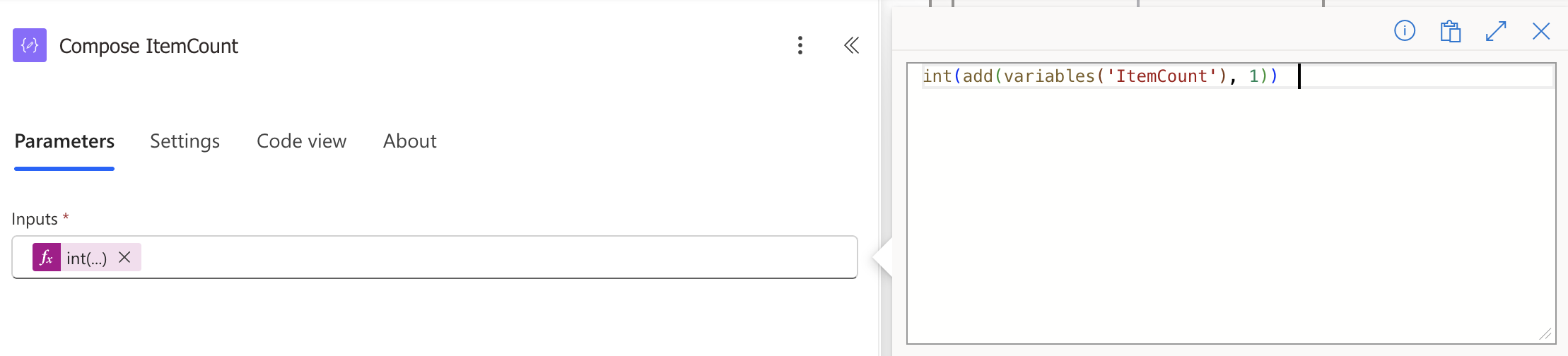
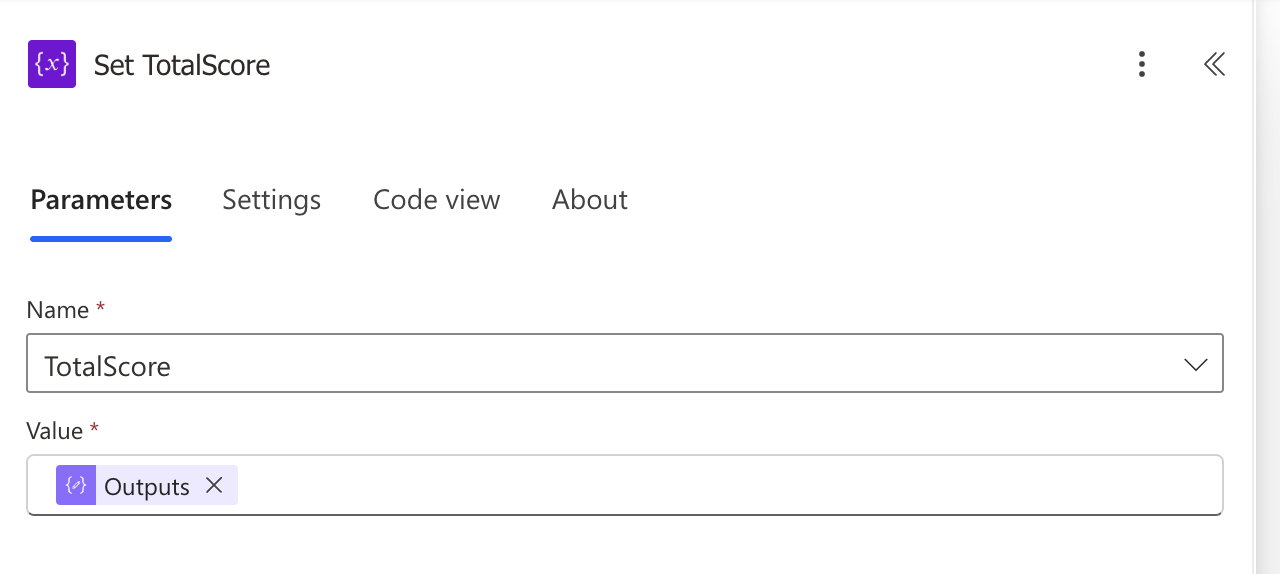
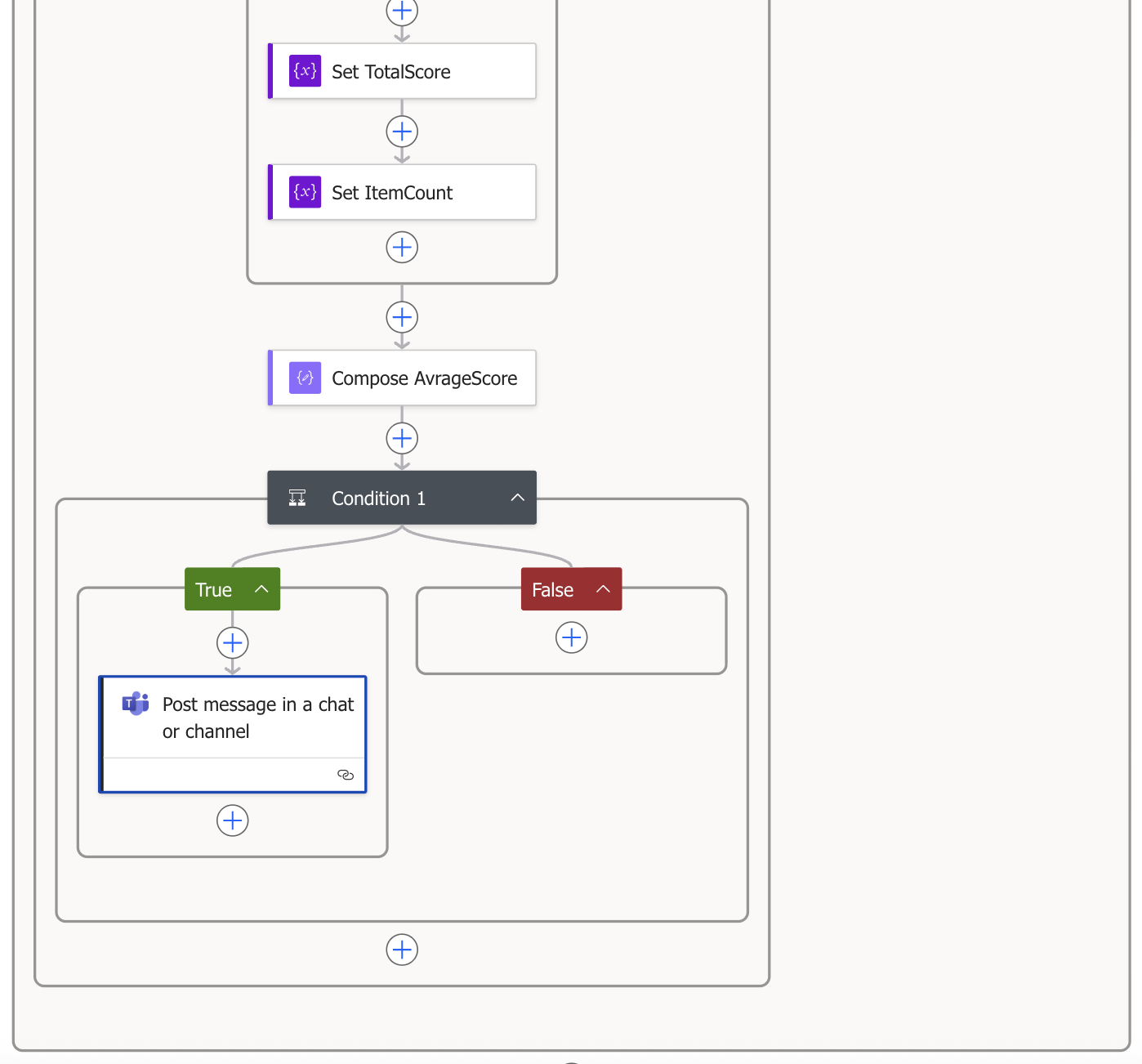
Add a Set variable action with the output of the Compose TotalScore action.
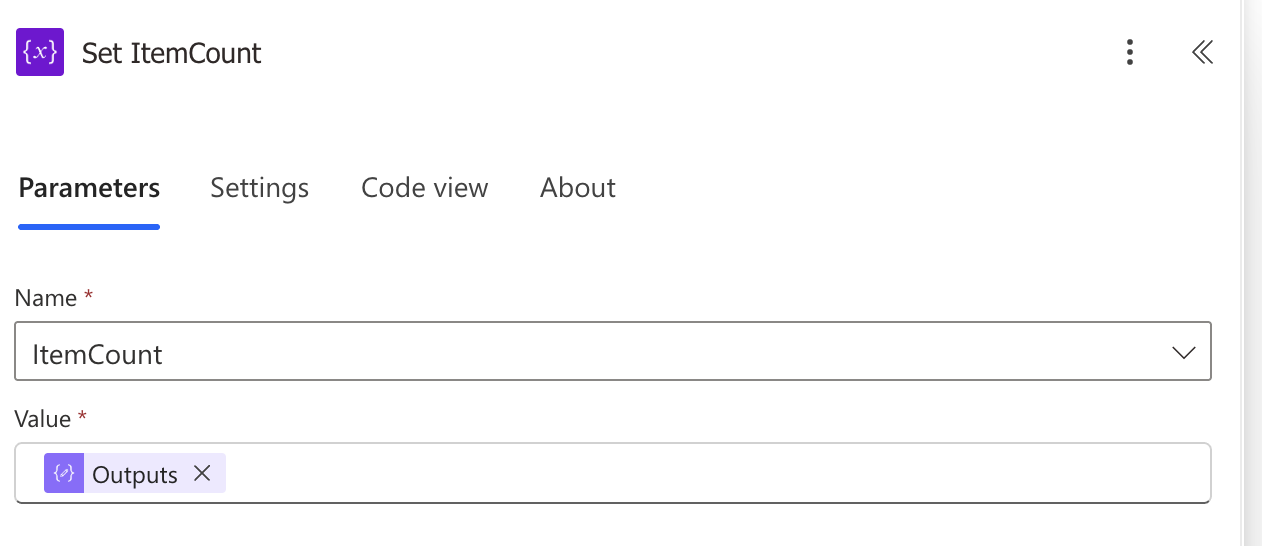
Add a Set variable action with the output of the Compose ItemCount action.
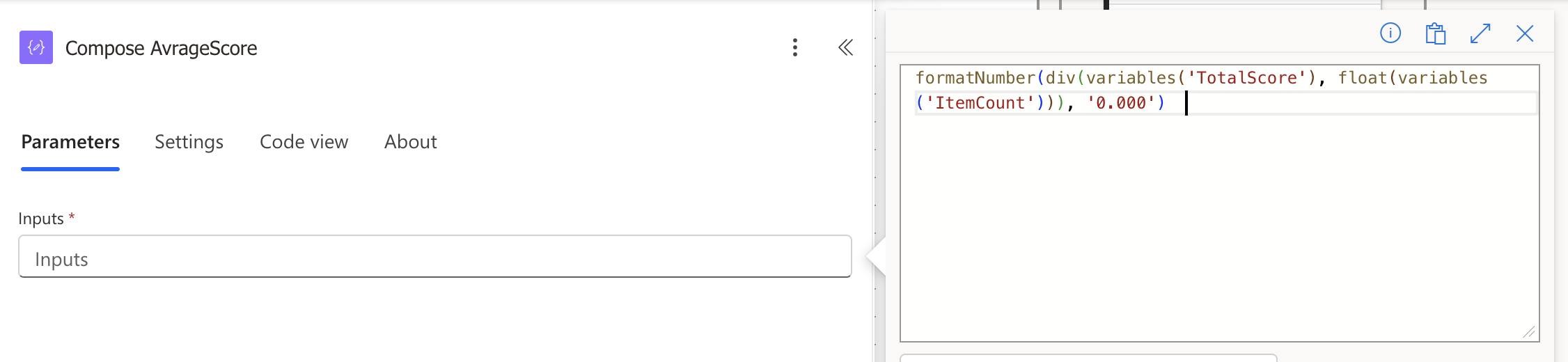
Go outside the Apply to each loop and create a Compose action. This one is calculating the average happiness score and setting it to 3 decimals.
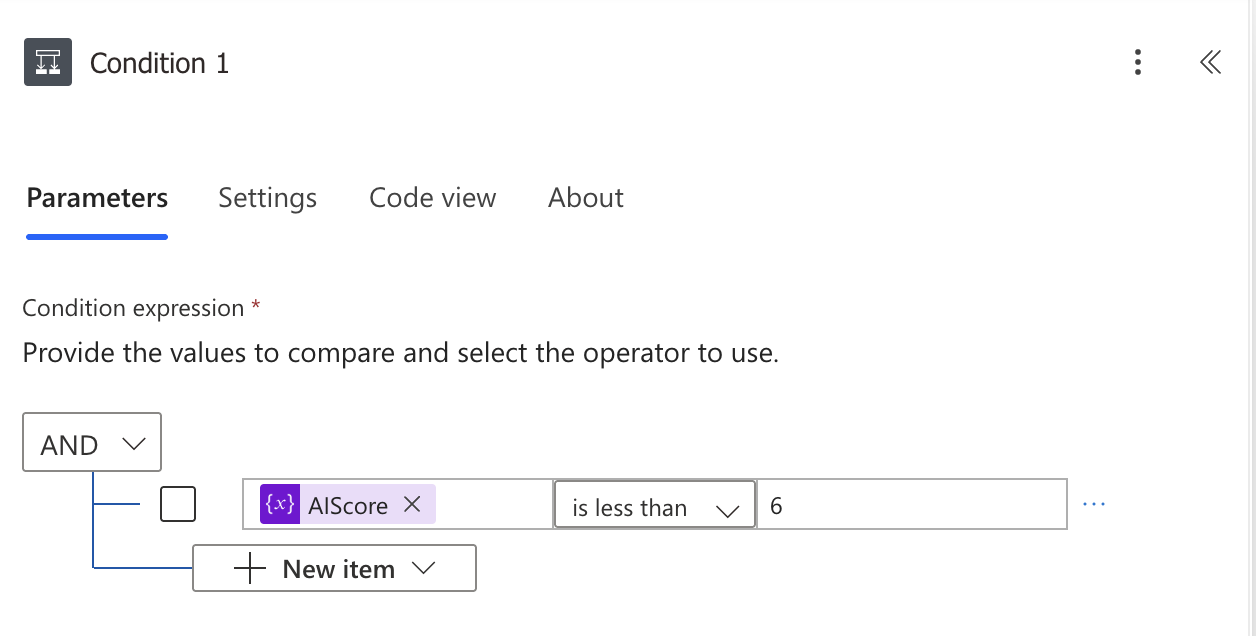
Now we need a condition to post a message in Teams if the score is for example lower than 6 out of 10.
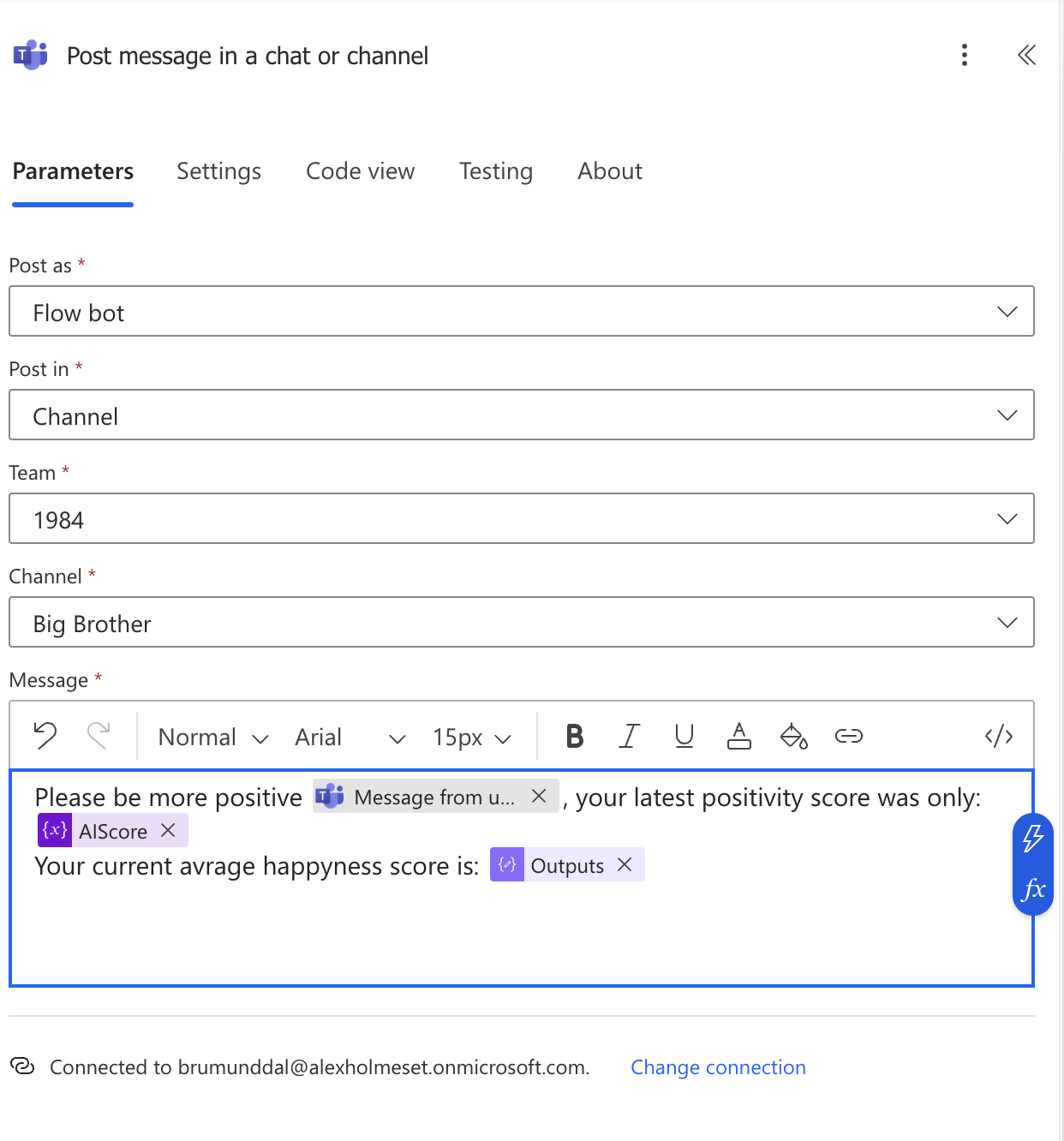
In the True bracket, add a Post message in a chat or channel action. The first variable is the displayname of the user, then the AIScore and at last the output of the Compose AvrageScore action.
 A blog about automation and technologies in the cloud
[…] Can you use AI to measure your employees’ happiness? You can set up a sentiment analysis solution in Microsoft Teams that monitors user positivity. Using Azure AI Foundry, Power Automate, and SharePoint, messages are scored from 1 to 10 for positivity. If a user’s score averages below 6, a message prompts them to improve. Proof of concept, not intended for production. […]
LikeLike